Download
1 / 24
250 likes | 375 Vues
This lesson provides a comprehensive overview of controlling user access within a database. You'll learn to differentiate between system and object privileges, grant permissions on tables, create and assign roles, and understand the nuances between privileges and roles. The curriculum includes creating users, granting system privileges to users, creating roles, and revoking object privileges. You'll gain practical skills in managing database security and user permissions effectively, ensuring a structured and secure data environment.

E N D
Objectives • After completing this lesson, you should be able to do the following: • Differentiate system privileges from object privileges • Grant privileges on tables • Grant roles • Distinguish between privileges and roles
Lesson Agenda • System privileges • Creating a role • Object privileges • Revoking object privileges
Controlling User Access Database administrator Username and password Privileges Users
Privileges • Database security: • System security • Data security • System privileges: Performing a particular action within the database • Object privileges: Manipulating the content of the database objects • Schemas: Collection of objects such as tables, views, and sequences
System Privileges • More than 100 privileges are available. • The database administrator has high-level system privileges for tasks such as: • Creating new users • Removing users • Removing tables • Backing up tables
The database administrator (DBA) creates users with the CREATEUSER statement. Creating Users CREATE USER user IDENTIFIED BY password; CREATE USER demo IDENTIFIED BY demo;
User System Privileges • After a user is created, the DBA can grant specific system privileges to that user. • An application developer, for example, may have the following system privileges: • CREATE SESSION • CREATE TABLE • CREATE SEQUENCE • CREATE VIEW • CREATE PROCEDURE GRANT privilege [, privilege...] TO user [, user| role, PUBLIC...];
Granting System Privileges • The DBA can grant specific system privileges to a user. GRANT create session, create table, create sequence, create view TO demo;
Lesson Agenda • System privileges • Creating a role • Object privileges • Revoking object privileges
What Is a Role? Users Manager Privileges Allocating privileges without a role Allocating privileges with a role
Creating and Granting Privileges to a Role • Create a role: • Grant privileges to a role: • Grant a role to users: CREATE ROLE manager; GRANT create table, create view TO manager; GRANT manager TO BELL, KOCHHAR;
Changing Your Password • The DBA creates your user account and initializes your password. • You can change your password by using the ALTERUSER statement. ALTER USER demo IDENTIFIED BY employ;
Lesson Agenda • System privileges • Creating a role • Object privileges • Revoking object privileges
Object Privileges Object privilege Table View Sequence ALTER DELETE INDEX INSERT REFERENCES SELECT UPDATE
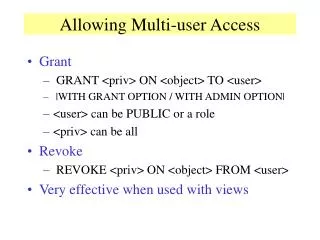
Object Privileges • Object privileges vary from object to object. • An owner has all the privileges on the object. • An owner can give specific privileges on that owner’s object. GRANT object_priv [(columns)] ON object TO {user|role|PUBLIC} [WITH GRANT OPTION];
Granting Object Privileges • Grant query privileges on the EMPLOYEES table: • Grant privileges to update specific columns to users and roles: GRANT select ON employees TO demo; GRANT update (department_name, location_id) ON departments TO demo, manager;
Passing On Your Privileges • Give a user authority to pass along privileges: • Allow all users on the system to query data from Alice’s DEPARTMENTS table: GRANT select, insert ON departments TO demo WITH GRANT OPTION; GRANT select ON alice.departments TO PUBLIC;
Lesson Agenda • System privileges • Creating a role • Object privileges • Revoking object privileges
Revoking Object Privileges • You use the REVOKE statement to revoke privileges granted to other users. • Privileges granted to others through the WITH GRANT OPTION clause are also revoked. REVOKE {privilege [, privilege...]|ALL} ON object FROM {user[, user...]|role|PUBLIC} [CASCADE CONSTRAINTS];
Revoking Object Privileges • Revoke the SELECT and INSERT privileges given to the demo user on the DEPARTMENTS table. REVOKE select, insert ON departments FROM demo;
Summary • In this lesson, you should have learned about statements that control access to the database and database objects.
Practice 1: Overview • This practice covers the following topics: • Granting other users privileges to your table • Modifying another user’s table through the privileges granted to you • Creating a synonym