2014 East Coast Large Scale Train Show
500 likes | 604 Vues
Join us for a comprehensive presentation on 3D printing, delivered by Dave Bodnar at the 2014 East Coast Large Scale Train Show. Discover the basics of 3D printers, popular materials like ABS and PLA, and hands-on design using SketchUp. Learn to create simple 3D objects, set up printers, and access online resources like Thingiverse for downloadable files. This workshop equips hobbyists with essential skills and knowledge to navigate the evolving world of 3D printing. For further details, visit www.trainelectronics.com or www.davebodnar.com.


2014 East Coast Large Scale Train Show
E N D
Presentation Transcript
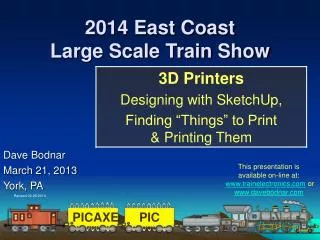
2014 East CoastLarge Scale Train Show Dave Bodnar March 21, 2013 York, PA This presentation isavailable on-line at:www.trainelectronics.com or www.davebodnar.com Revised 03-20-2014
Objectives • Provide an overview of 3D printers & printing • Explore on-line sources of things to print • Introduce SketchUp, a 3D design program • Create some simple 3D objects in SketchUp • Transfer the object’s design to the printer • Set up the printer and print the design
Why Are 3D PrintersBecoming Common? • 3D printing has been around for 30+ years • Many patents have expired opening up the hobbyist & home markets • Prices have dropped • Software has become more useable
Vendors Are Highly Motivated to Innovate… Why? They want to gain market share before…. … the big boys HP and Canon enter the market and ship consumer machines
Printers • Very much like a computer controlled hot-melt glue gun building up layers of material one drop at a time • Most print in ABS plastic (same as Legos) • … or PLA plastic • Other printers use liquid resin, metal, chocolate, etc. This is sometimes called Fused Deposition Modeling (FDM)or Fused Filament Fabrication (FFF)
Printers • Simple units are well under $500 • Mid range units are $1200-$2500 • Higher end units can go to $10,000 or more
Printers • Most have four computer controlled stepper motors • One to extrude the filament • One for each of the three axes that define a 3 dimensional space • X (left to right) • Y (front to back) • Z (up & down)
Printers • Most have two heaters • One to heat the filament (≈ 450° F) • One to heat the platform (≈ 200° F) • ABS needs a heated platform, PLA does not
Make Magazine Reviews • Make Magazine publishes an annual 3D printer review • Good resource & overview of the current crop of printers
Plastics: ABS vs PLA • ABS • Requires a heated print platform (makes printers more expensive) • Gives off a slight odor when printing • Can warp on platform if not prepared properly • Strong, somewhat flexible
ABS vs PLA • PLA • Biodegradable (made from sugar) • Little odor • More brittle than ABS • Strong • Inexpensive printers available ($500 or less… $369 on eBay - MCM for $399 – $299 3Ders.com)
On-Line Things to Print • Thingiverse.com has thousands of printable files (more than 100,000 ! ! ) • Search for “model train” or “trains” or whatever interests you!
Thingiverse • Many cool & unusual things
Thingiverse • Chances are good that you will find what you need there or at least something similar • I wanted to show windows and doors and found good examples on Thingiverse.com • Saved me from drawing my own! • And they print very nicely!
Shapeways • www.shapeways.com has high quality things to download for a fee • They will also print and ship things to you • Materials include plastics and metal
Design Your Own - SketchUp • Once owned by Google - Sold in 2012 • Originally for house plans / room design • Expanded & enhanced to be a first class 3D design program • Huge user community with on-line resources – Lots of videos on YouTube! • The price is right FREE!
SketchUp • SketchUp has its own 3D Warehouse of things! • Also Free!
SketchUp – Getting Started Download SketchUP Make (the free version) from www.sketchup.com • Install on Mac or Windows computer • Best to use a wheel mouse • Wheel zooms • Pressing wheel “orbits” • Pressing wheel & shift key moves
SketchUp - Navigation • Add toolbars • Load in a sample file and experiment with: • Orbit • Move • Zoom extents • Views
SketchUp – 3D Signs • Remove guy • Draw a rectangle from the origin (6”, 2”) • Zoom extents • Pull to ¼” thickness (1/4”) • View from top • Draw another rectangle inside of the first one
SketchUp – 3D Signs • Use push / pull tool to recess 2nd rectangle by 1/8” • View all from top • Select text tool & type text & change height and extruded items • Use scale to fill frame
Signs - a Neat Trick! • The Afinia printer will allow you to pause a print and change filament colors • Pause after the base (first 1/8”) has been printed • Withdraw the base color and extrude with the 2nd color
Signs – Another Neat Trick! • Add “marquee” flashing lights! • Powered by a PICAXE!
SketchUp - Steps • Delete guy • Draw a rectangle from origin (type 8’, 3’) • Pull to 3’ high (type 3’) • Mark for 6” steps with 9” tread using tape • Draw & pull rectangles starting at top • Lengthen platform by 2’
SketchUp - Steps • Erase guide lines (Edit / Delete Guides) • Draw guide for 4” platform & 4” posts • Draw rectangle for space under steps • Push to remove • Draw triangle under treads for space • Remove Guides • Complete posts
SketchUp – Smoke Stack • Much easier than I thought! • Remove guy • Draw circle at origin (4’ radius) • Remove circle interior • Draw rectangle up from origin • Use pencil tool to draw ½ of smokestack profile
SketchUp – Smoke Stack • Remove all but profile outline • Use “offset” to provide thickness to outline • … or draw inside wall to give thickness • Complete top and bottom to fill outline • Select circle • Select “follow me” & click profile
SketchUp – Trace Smoke Stack • Import image of stack • Trace the outline • Give it thickness • Move & place by circle • Follow the circle
SketchUp – Export STL • STL files are commonly used with 3D printers (STereo Lithography) • SketchUp can export STL with a free plug-in
3D Printer Program • 3D printers need software to “slice” STL files for printing and to “talk” to the printer • These programs come with the printer and allow simple manipulation of the drawings but usually no editing • You can change: • Scale • Position • Orientation
What Do You Print On? • Afinia supplies perforated fiberglass • Other options include blue painter’s tape • Kapton (high temperature) tape • And glass
Horizontal Pieces Must Be Supported • Any part that is horizontal (< about 45°) must be supported to avoid distortion • Plan during design for where support materialfalls • Supports can be hard to remove
Minimize & Optimize Raft & Support Material • Programs generally print a “raft” of extra plastic to securely bond an object to the table • If the object starts to lift it will warp the print
Experiment with Orientation • Extra support material can be minimized by flipping an object • Bad • Better • Best
Printing • Keep watch for the first few minutes as “rafts” may not bond to the table • Most printers give an estimate of printing time (can be 9+ hours for large, complex items, 1 hour for simpler objects) • Some require a PC to be connected while printing • Some download file to the printer or an SD card in the printer
Removing Items from Table • Use a putty knife to remove the raft from the table – wear gloves! • Carefully remove the raft and support material • Trim as needed
Printing Tips • Pre-heat the table with ABS • Use high quality filament • Wear gloves when removing raft & support material • Level the table before printing • Clean print surface with acetone frequently • You can vary the density of the print to change its rigidity & strength & weight
My Favorites • Bezels for project boxes • It can be a challenge to cut a neat, rectangular hole in a project box • A 1/8” thick & 1/8” wide bezel covers up lots of rough edges
My Favorites • A small rectangular hole for an RJ11 is even harder to cut • A printed adapter fits the RJ11 and a 1” hole
My Favorites • 3D printers do a great job of printing very precise holders for my model railroad speedometer!
My Favorites • Spiral Ball Gizmo from www.Thingiverse.com • Now part of the display at Pittsburgh’s Children’s Hospital • Great fun to watch!
Involute Gears • SketchUp 8, an olderversion, can be usedwith a plug-in to makeinvolute gears • Search for “downloadSketchUp 8” • Search for “sketchup gear involute”
My Favorites • Flashing LED bike light box • Houses 7 individually addressable 10mm BRIGHT red LEDs • Clips onto a rear bike bag
My Favorites • Traffic light • Found on Thingiverse • Wired for red, amber and green LEDs
My Favorites • School house bell tower
My Favorites • Tapered Bell Tower
Your Ideas? • Questions?