Managing Resource Utilization using Microsoft Project Leveling
Managing Resource Utilization using Microsoft Project Leveling. Presented by Larry Christofaro, PMP, MCITP February 29, 2008. Introduction.

Managing Resource Utilization using Microsoft Project Leveling
E N D
Presentation Transcript
Managing Resource Utilization using Microsoft Project Leveling Presented by Larry Christofaro, PMP, MCITP February 29, 2008
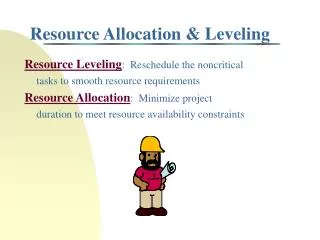
Introduction • The process of rescheduling activities such that the requirement for resources on the project does not exceed resource limits. The project completion date may be delayed in the process. • Definition of “leveling” in Microsoft Project • Levels overallocated resources by delaying or splitting tasks • What are the ways you level projects today • How I started using Microsoft Project leveling
Managing Schedules • Progression of managing project timelines and resource utilization • One dimensional: Using tasks • Two dimensional: Using tasks and resources • Three dimensional: Using tasks and assignments • It takes managing with Microsoft Project leveling to get to level three • And yes, you need to have a pretty good idea of what it takes to manage a two dimensional plan.
Lets Build the Plan • Setup options (nothing needed) • Define tasks • Define resources • Assign resources to tasks
Microsoft Leveling Options • Microsoft levels using the following criteria • Standard: Dependencies, Slack time, Dates, Constraints, Priority • Priority/Standard: Task priority, then standard • Uses resource information such as: • Working time calendar • Maximum units • Assignment units • Microsoft Leveling does not level material or cost resources.
Level the Project • Review and cleanup resource utilization • Set exceptions (test plan) • Administration tasks • Recurring tasks • One per phase • Incorporate into task estimates
Managing the Plan • Enter time to your project • What happens when the project changes • Not IF the project changes • The paradigm shift • Seeing tasks in parallel vs. serial • Use the tool to help manage the project, instead of you managing the tool
Additional Topics • Managing and leveling across multiple projects • Using Microsoft leveling without entering actual time • EPM considerations
Questions ??? ??? ??? ??? ??? ??? ??? ??? ??? ??? ??? ??? ???