
ishmael-hopkins
Uploaded by
24 SLIDES
387 VUES
240LIKES

Detailed Guide for Testing Heated Oxygen Sensor on 2003 Chevrolet Impala Using InfoTech

DESCRIPTION

This guide outlines the step-by-step process for accessing and testing the Heated Oxygen Sensor (HO2S No. 1) on a 2003 Chevrolet Impala using the InfoTech diagnostic tool. It includes navigation instructions to update vehicle entry, select engine components, and perform necessary tests. Follow along to streamline your repair process without the need for calibration. The guide emphasizes user-friendly interaction with the InfoTech system, helping technicians efficiently diagnose sensor issues while navigating through each step with ease.
1 / 24

Télécharger la présentation

Detailed Guide for Testing Heated Oxygen Sensor on 2003 Chevrolet Impala Using InfoTech

An Image/Link below is provided (as is) to download presentation Download Policy: Content on the Website is provided to you AS IS for your information and personal use and may not be sold / licensed / shared on other websites without getting consent from its author. Content is provided to you AS IS for your information and personal use only. Download presentation by click this link. While downloading, if for some reason you are not able to download a presentation, the publisher may have deleted the file from their server. During download, if you can't get a presentation, the file might be deleted by the publisher.

E N D

Presentation Transcript


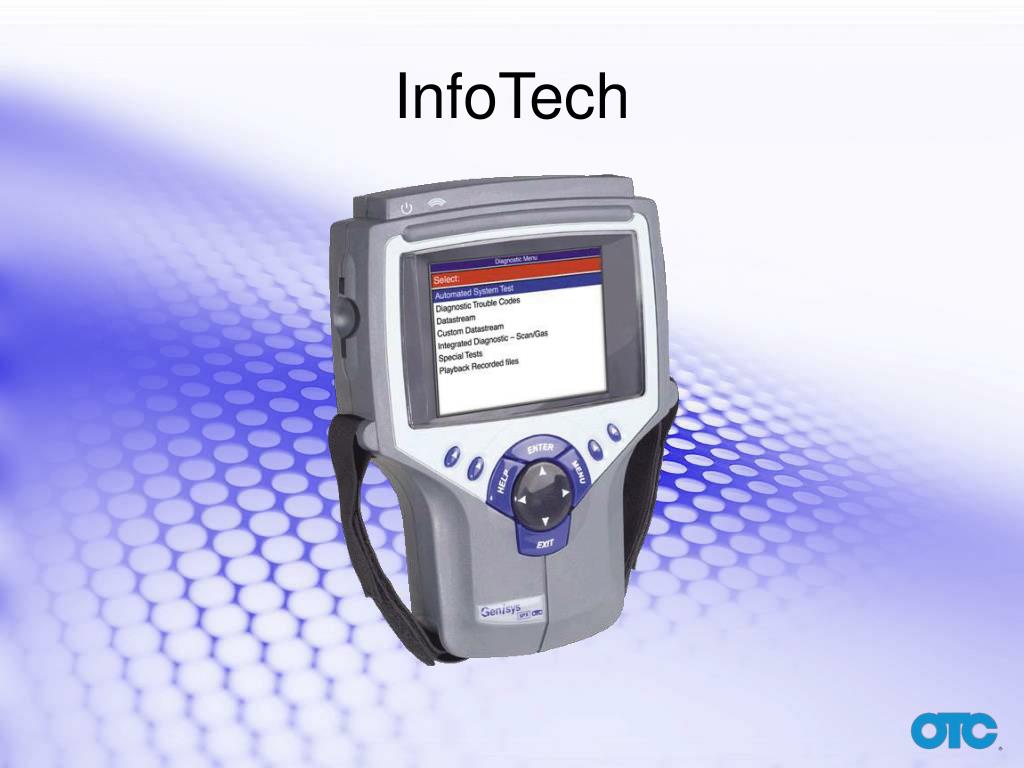
  1. InfoTech

  2. Scroll to Repair Information and press Enter. Enter Scroll to Repair Information

  3. Scroll to InfoTech and press Enter. Enter Scroll to InfoTech

  4. Press the No soft key, as calibration is unnecessary when only using InfoTech without the scope. Press the No soft key

  5. Scroll to Vehicle Entry and press Enter. Enter Scroll to Vehicle Entry

  6. Scroll to GM and press Enter. Enter Scroll to GM

  7. Scroll to 2003 and press Enter. Enter Scroll to 2003

  8. Scroll to Chevrolet and press Enter. Enter Scroll to Chevrolet

  9. Scroll to Car and press Enter. Enter Scroll to Car

  10. Scroll to Impala and press Enter. Enter Scroll to Impala

  11. Scroll to Base and press Enter. Enter Scroll to Base

  12. Scroll to 3.4L, VIN E and press Enter. Enter Scroll to 3.4L, VIN E

  13. Scroll to Engine and press Enter. Enter Scroll to Engine

  14. Scroll to Component Tests and press Enter. Enter Scroll to Component Tests

  15. Scroll to Heated Oxygen Sensor and press Enter. Enter Scroll to Heated Oxygen Sensor

  16. Scroll to HO2S No. 1 and press Enter. Enter Scroll to No. 1

  17. The display describes how to hook up the scope for testing. To find other hook up information, press the Repair Info soft key. Press the Repair Info soft key

  18. Scroll to Ckt Diagram, and press Enter. Scroll to Ckt Diagram Enter

  19. Press the Back soft key to complete the scope lead hook up. Press the Back soft key

  20. Exit Exit

  21. Exit Exit

  22. Exit Exit

  23. Exit Exit

More Related
SlideServe
Audio
Live Player
Audio Wave
Play slide audio to activate visualizer