Active Directory Windows2003 Server
Active Directory Windows2003 Server. Agenda . What is Active Directory Building an Active Directory Using Active Directory Features Active Directory Objects Auditing Active Directory. Group Names. Charles Guzman Daniel Gebretensai Ervand Akopyan Hovik Gharadaghi. Active Directory.


Active Directory Windows2003 Server
E N D
Presentation Transcript
Agenda • What is Active Directory • Building an Active Directory • Using Active Directory Features • Active Directory Objects • Auditing Active Directory
Group Names • Charles Guzman • Daniel Gebretensai • Ervand Akopyan • Hovik Gharadaghi
What is Active Directory • Efficient Directory Management service • Based on Standard Internet Protocols • Helps to Clearly Define a Network’s structure
Requirements • The computer must be Windows 2k, 2k3 Server, Advanced Server or Datacenter Server. • At least one volume on the computer must be formatted with NTFS. • DNS must be active on the network prior to AD installation or be installed during AD installation. • DNS must support SRV records and be dynamic. • The computer must have IP protocol installed and have a static IP address. • The Kerberos v5 authentication protocol must be installed. • Time and zone information must be correct.
Why Install DNS? • Clients use DNS to locate Active Directory controllers. • Servers and client computers register their names and IP addresses with the DNS server.
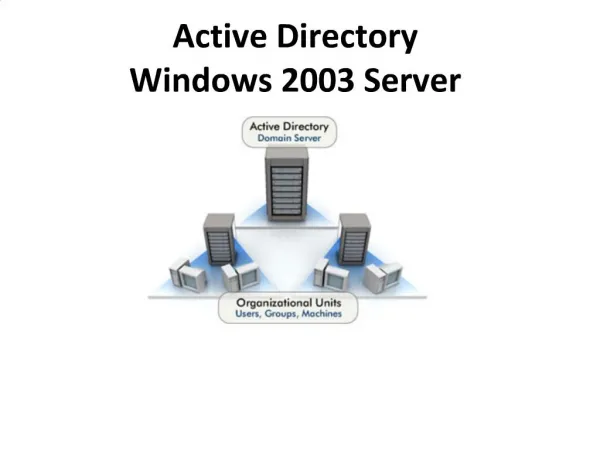
Active Directory • Domains – Group of computers • Domain Trees –Share contiguous Namespace • Domain Forests – Share common directory information • Organizational Units – Subgroup of Domains that mirror an organization
Active Directory • Domains – Group of computers • Domain Trees –Share contiguous Namespace • Domain Forests – Share common directory information • Organizational Units – Subgroup of Domains that mirror an organization
Requirements • Existing Domain • Member Server