Download
1 / 25
Virtual Box: Creating Virtual Machines for Beginners
250 likes | 345 Vues
Learn how to quickly set up and customize virtual machines using VirtualBox. This guide covers steps like naming, selecting OS type, memory allocation, hard disk creation, and more. Start building your virtual environment today!

Télécharger la présentation 
Virtual Box: Creating Virtual Machines for Beginners
An Image/Link below is provided (as is) to download presentation
Download Policy: Content on the Website is provided to you AS IS for your information and personal use and may not be sold / licensed / shared on other websites without getting consent from its author.
Content is provided to you AS IS for your information and personal use only.
Download presentation by click this link.
While downloading, if for some reason you are not able to download a presentation, the publisher may have deleted the file from their server.
During download, if you can't get a presentation, the file might be deleted by the publisher.
E N D
Presentation Transcript
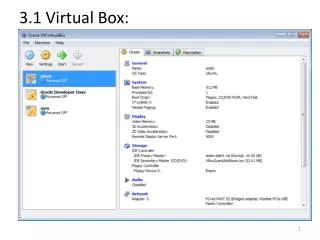
3.2 Virtual Box: High Level Steps • VM Name & OS Type • Specify Memory (2GB) • Virtual Hard Disk Creation • Specify CD Rom for boot • Customize Guest VM • Boot and Install OS • Specify Hard Disk for Boot • Boot Guest VM
3.3 Virtual Box: Build a Guest VM Type, Memory, Disk
3.3 Virtual Box: Build a Guest VM Customize
More Related