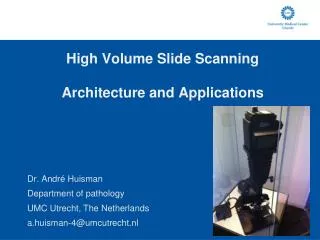
High Volume Slide Scanning Architecture and Applications
220 likes | 339 Vues
UMC Utrecht's Department of Pathology has implemented high-volume digital slide scanning, revolutionizing pathology workflows. With over 156,000 glass slides processed annually, our system enhances digital archiving and telepathology, offering constant quality and instantaneous access. Challenges include storage logistics for vast image data, managing scanners, and ensuring integration with existing systems. We aim to validate digital slides for diagnostic use and address educational needs through accessible digital resources. The future of pathology is digital, driving innovation in diagnostics and education.


High Volume Slide Scanning Architecture and Applications
E N D
Presentation Transcript
Dr. André Huisman Department of pathology UMC Utrecht, The Netherlands a.huisman-4@umcutrecht.nl High Volume Slide ScanningArchitecture and Applications
Department of pathology UMCU • UMC Utrecht • >1,000 beds • >10,000 employees • Department of pathology: • 20.000 surgical pathology cases • 156.000 glass slides (histology, cytology, IHC) • 15 pathologists, 10 residents
Digital pathology - advantages • Digital Archiving • Instant access from multiple locations by multiple people • No searching for slides • Constant quality • Telepathology • Consultations, revisions and panels • Education • Research • Automated image processing
Project background Clinico pathological conferences: • 900 meetings every year • No (multi headed) microscope needed • Quicker preparation of meetings • No retrieval of glass slides from archive
Aim (2007) Digitize all diagnostic slides we have (prospectively)
Challenges • Scanners • Image size: up to 1 GB x 500 slides per day • No existing infrastructure present for storage of this size at our facility • Image presentation and software integration • Logistics
Scanners • Different manufacturers: • Speed • Focusing method • Acquisition technique • z-stack acquisition • File format policy • Application integration • 2007: 3D Histech (Zeiss), Aperio, Hamamatsu, Olympus (US: Dmetrix, BioImagene) • 2010: Leica, Menarini, Philips, Omnyx, BioImagene
Scanning logistics • 3 Aperio XT scanners (120 slides per scanner) • Morgue assistants • Mark slides after scanning • 6 Hours per run at 20x magnification (~3 minutes/scan)
Storage – HSM • HSM = Hierarchical Storage Management • Sun Microsystems (Oracle) • 6 TB available on very fast fibre channel disks • 120 TB available on tape (750 GB each) • 2 Tape drives • Completely transparent archiving and retrieval (robot) • Access time from tape: 1 - 3 minutes
Linking systems • 1D Barcodes • U-DPS: reporting system • LMS: Laboratory Management System • Spectrum: Aperio’s image management solution • Storage system • Own development: integration layer
Scanner workflow Other images (e.g. macro) Scanning Order form scanner Database LIS Image / Data server Speech recognition U-DPS HSM Storage 6 TB fast disks 120 TB on tape pathology users
Validation • Aim: validate diagnostic use of digital slides • Method: reevaluate diagnosis with same pathologist on scanned slide after washout period (1 year) for several organs • Gold standard: original diagnosis using ‘traditional’ microscopy
Preliminary results validation • GI tract discrepancy • Different interpretation of abnormality • Glass slide and WSI contained same information • Skin discrepancy • Clinical information not used for interpreting digital slide
Pitfalls of digital archive • Costs • Huge storage needs – 40 TeraByte per year (over 57,000 CDs) • Largest storage in the UMCU • Logistics of scanning up to 500 slides per day • Currently scanning almost 24 / 7 • Place of scanning in process • Speed of image retrieval • Image compression (JPEG 2000?) • Backup
Education • All students view the same “best slide” • Slide images can be integrated with • Annotations • Questions • Macroscopic images • Other multimedia • Most UMCU microscopy practical sessions are digital • Student satisfaction is high
Teleconsultation • Place (small) slide scanners at different labs • Upload digital slides to UMC Utrecht • Aurora mScope Clinical • www.pathoconsult.com Upload new media
Image processing research Image processing applications on virtual slides: • Detecting mitotic figures in breast cancer slides • Use texture features • Establishing histological grade in breast cancer • Segmentation of individual nuclei (on H&E stained slides) • Detect points of interest • Use marker-controlled watershed segmentation • Post processing
Conclusions • Routine scanning is possible and makes sense • Future of pathology is digital • Digital pathology is expensive • Digital pathology is just starting.. Together we are shaping Pathology 2.0
Discussion • Limitations current system • Cytology • Speed • Magnification (20x / 40x incidental) • Backup • Quality Control
Discussion • Archive heavily used • Educational use still growing • Teleconsultation network growing (www.slideconsult.com) • Need for standards • DICOM / JPEG 2000 • Images, annotations and reports • Mixing scanners and integration with other software platforms (middleware?) • Image management central in workflow for pathologist?
Questions?! Huisman et al., Creation of a fully digital pathology slide archive by high-volume tissue slide scanning, Human Pathology, 2010 May; 41(5): 751-7 a.huisman-4@umcutrecht.nl