Creating Engaging Digital Stories: A Step-by-Step Guide
170 likes | 354 Vues
This comprehensive guide covers the essential steps to create compelling digital stories, starting from developing story topics to sharing the final product. You'll learn how to write your story, gather images and audio, organize your files, and create storyboards. With a focus on integrating the seven elements of digital storytelling, this guide also provides practical tips for editing and voice-over recording. Perfect for educators and students, this resource ensures that you create authentic and emotionally engaging narratives.


Creating Engaging Digital Stories: A Step-by-Step Guide
E N D
Presentation Transcript
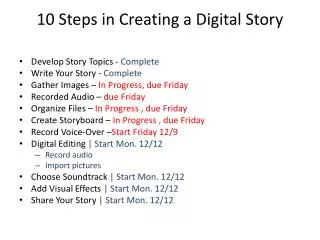
10 Steps in Creating a Digital Story • Develop Story Topics - Complete • Write Your Story - Complete • Gather Images – In Progress, due Friday • Recorded Audio – due Friday • Organize Files – In Progress , due Friday • Create Storyboard – In Progress , due Friday • Record Voice-Over –Start Friday 12/9 • Digital Editing | Start Mon. 12/12 • Record audio • Import pictures • Choose Soundtrack | Start Mon. 12/12 • Add Visual Effects | Start Mon. 12/12 • Share Your Story | Start Mon. 12/12
Due 12/6/2011 • Integrate the 7 Elements of Digital Storytelling • Create “Project Folder” and two folders in it: “images” and “audio” • Save digital pictures in images folder • Save all audio recordings in audio • Create copy of essay and rename it Storyboard. Save in Project Folder
Due Friday – 12/9/2011 • Production Checklist • Folders – Project Folder > images &audio • Storyboards – Printed and Turned in • Artifacts – Saved in Project Folder • Recorded Interviews – Emailed & Saved in Project Folder • VideoSpin Setup Complete • Audacity Setup Complete
Lesson Plan – 12/7/2011 ENTER PRODUCTION PHASE • Peer Tutor Training – After School Today! • Sarah Kay’s Video on Storytelling • How many stories does Sarah tell? • What is unique about Sarah's storytelling technique • How can you apply her technique to your story? • Storyboarding Inserting Titles & Image Markers
By End of Class Today • Create copy of essay. • Save in project folder • rename it Storyboard. • Save in Project Folder • Storyboard • Inserting Titles (Storyboard 1) Insert Image or Image Markers (Describe Image)
Lesson Plan 12/8/2011 • Production Checklist on Desk • Edit to include project folder…check for Audacity • Drag Project Folder on Desktop • Check for Audacity • Work on Storyboards • Shoot Pictures • Add images/audio to your Project Folder on Desktop.
Common Issues w/Storyboards • Don’t say, “I interviewed my ______, and this is what she said" unless you are intestinally using dialogue--be careful with this If you are recording a quote, type it on a slide and show that slide while you are reading it.
Common Issues w/Storyboards • Make sure stories are in chronological order Make sure images are authentic. No clip art!"
Common Issues w/Storyboards • Consider adding quotes as text over the picture.
Common Issues w/Storyboards • Start out with a hook or dramatic question and answer it or resolve it by the end of the story.
Common Issues w/Storyboards • Make sure you tell a story--don't tell me about the interview--tell me a story of someone's life. (point-of-view).
Common Issues w/Storyboards • Remember stories elicit emotion, biographies don't.
Common Issues w/Storyboards • Make sure you ask/answer the essential question.
Common Issues w/Storyboards • Make sure to find a theme between all your stories that answers the essential question Make sure you use the checklist as a checklist--follow instructions!
Common Issues w/Storyboards • PROOFREAD!