Managing your references
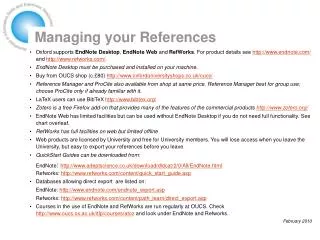
Managing references effectively is crucial for academic writing and research. This guide explores various reference management software options, including RefWorks, EndNote, Zotero, and others. It covers their functionalities, such as importing references from databases, formatting citations, and storing documents in various formats. The comparison helps users choose the right tool based on their needs, whether they prefer cloud-based services or desktop installations. Learn how these tools streamline the citation process, save time, and enhance your research workflow.

Managing your references
E N D
Presentation Transcript
Managing your references Ljilja Ristic & Roger Mills May 2009
What’s the problem? • References come from many different sources:
E-mails Alerts Databases Library catalogues Articles
And in many different formats… Harvard: • AHERNE, J., SVERDRUP, H., FARRELL, E. P. & CUMMINS, T. (1998) Application of the SAFE model to a Norway spruce stand at Ballyhooly, Ireland. Forest Ecology and Management, 101, 331-338. Numbered: • 1. Aherne, J., et al., Application of the SAFE model to a Norway spruce stand at Ballyhooly, Ireland. Forest Ecology and Management, 1998. 101(1-3): p. 331-338. Author-date: • Aherne, J., H. Sverdrup, et al. (1998). "Application of the SAFE model to a Norway spruce stand at Ballyhooly, Ireland." Forest Ecology and Management101(1-3): 331-338. Nature: • 1 Julian Aherne, Harald Sverdrup, Edward P Farrell et al., Forest Ecology and Management101 (1-3), 331 (1998). Science: • 1. J. Aherne, H. Sverdrup, E. P. Farrell, T. Cummins, Forest Ecology and Management101, 331 (Feb., 1998, 1998).
So what can reference management software do? • Store references to items in many different formats and material types • Search, select and output references in a variety of pre-determined styles, or one of your own making • Import references direct from databases like Scopus or Web of Knowledge, or library catalogues like OLIS • Search external databases from within the reference management software, and save references retrieved • Insert references into a word-processed document and format them in a particular style at the touch of a button • Store links to documents – pdf’s, images – or copies of them within database
Products available • The Thomson-Reuters family: • ProCite - Reference Manager – EndNote - EndNote Web • Thomson own Web of Knowledge, Biosis etc • The ProQuest family: • RefWorks - RefWorks Scopus Edition – RefShare • ProQuest own CSA, Dialog, Chadwyck-Healey etc • For LaTeX users: • BibTex • Also consider: • Zotero
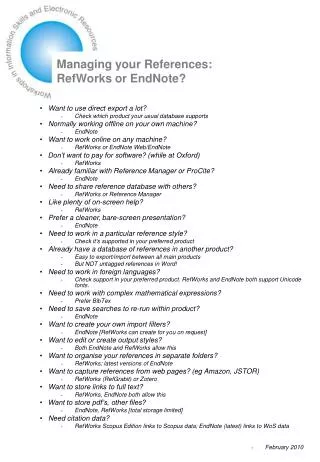
Which product for me? • RefWorks and EndNote both allow direct export from selected databases • RefWorks is web based – access your records anywhere, so long as you are online • Others have to be installed – work without web access, so long as you have your own machine • Features very similar • RefWorks stores data on their servers, EndNote on your own device • RefWorks free to members of university, others c.£90 • EndNote must be purchased, c.£80 • EndNoteon the Web is free to members of university, but has limited feature set – designed to be used alongside desktop version • Zotero is a free plug-in for Firefox browser (only) – limited but growing capability • BibTeX tools are free • Social bookmarking sites such as CiteULike and Connotea are free and convenient for storing and sharing references but do not provide word processor interaction, text formatting etc.
Demonstrations • Setting up a database • Importing records • Formatting records • Adding references and bibliography to a Word document
Play for ever • Or get a life • Reference management software is meant to save time…. • Have fun…