Enhanced Interface and Group Management Features for Improved Communication
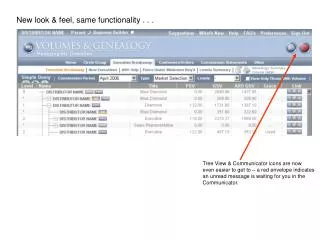
Experience a fresh look and feel while retaining the same powerful functionalities. The Tree View and Communicator icons are now more accessible, with a red envelope alerting you to unread messages. Divisional titles have been removed for clearer visibility of distributor levels in your downline. A new tab in the Simple Query bar makes it easy to create and manage groups, enabling you to send messages and monitor volumes on one screen. Additionally, a “My Groups” page under the “Other” tab allows for streamlined management of your downline.

Enhanced Interface and Group Management Features for Improved Communication
E N D
Presentation Transcript
New look & feel, same functionality . . . Tree View & Communicator icons are now even easier to get to – a red envelope indicates an unread message is waiting for you in the Communicator.
New look & feel, same functionality . . . Divisional Titles have now been removed, making it easier to understand what level each distributor in your down-line has achieved.
New look & feel, same functionality . . . A new tab has been added to the Simple Query bar to allow you to create and manage Groups. Create a group of down-line you would like to monitor. Easily send them messages and view their volumes on one screen.
New look & feel, same functionality . . . Click on the tab and a new Groups toolbar will display allowing you to manage your groups.
New look & feel, same functionality . . . A page was added under the “Other” tab called “My Groups.” Notice that you can monitor or manage down-line in one place – down-line that were once under Executive Breakaway & Circle Group.