
Visual Basic Controls and Variables: Basics and Best Practices
E N D
Presentation Transcript
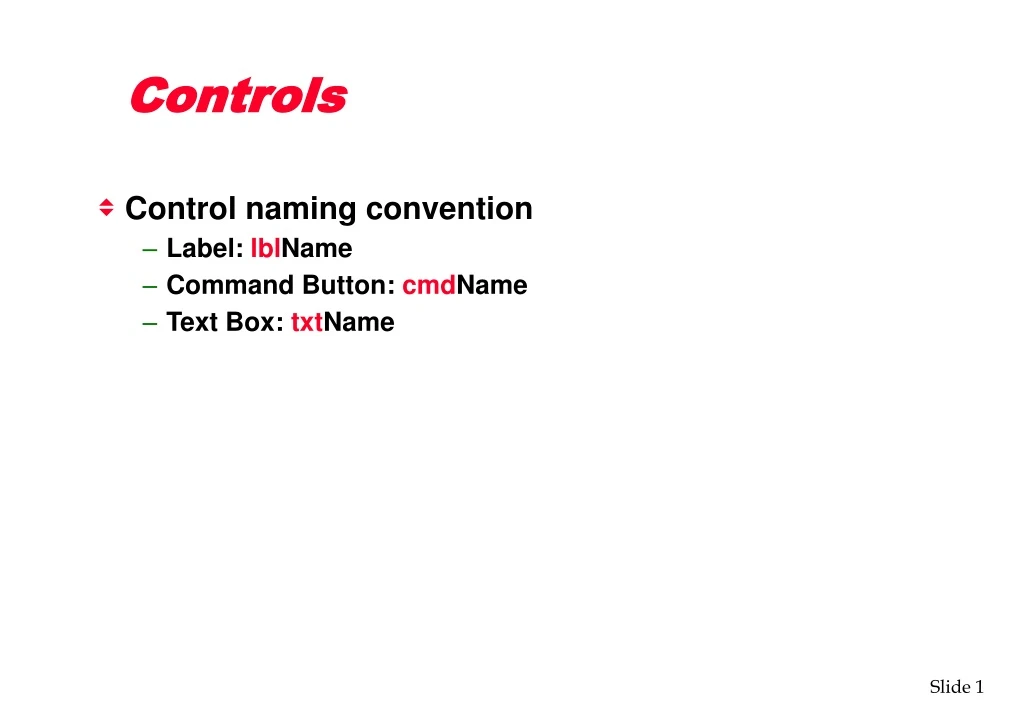
Controls • Control naming convention • Label: lblName • Command Button: cmdName • Text Box: txtName
Variables • Variable: Temporary storage location for information • Variable declaration: each variable can be declared with the dim statement • Dim x as integer • Single declaration statement must not contain more than one variable without specifying its type. • Set VB to Require variable declarations in order to avoid misspelling a variable • (Tools, Options, Editor – Require Variable Declaration) • This way VB gives an error if a variable is not declared
Variables • Naming convention (using prefix) • s : String • n : Integer • l : Long Integer • f : Single • d : Double • c : Currency • b : Boolean • v : Variant
Small Application • To get data from a user you should use a Text Box • To display information for a user you should use a Label • The processing of the data should take place when the user clicks on a Command Button Label Text Box Command Button
Changing Properties • To change a control’s property you assign the new property to it:label4.caption = fNumberOfKilos • To access a control on another form you should use the form name to prefix the property name:Form2.Label5.Caption =fCostPerKilo Control Name Property Form Name Control Name Property
Controls: Text Box • The Text / Edit box is a control that handles user input / editing of text. • The characters that are written in the text box are held in the Text property.
Controls: Text Box • We can assign the contents of the text box to a variable quite simply - for instance Sub Command1_click() Dim sMyName As String sMyName = Text1.Text End Will cause whatever to written by the user in the text box to be stored in the variable sMyName when the user clicks on Command button 1
Val function • The contents of a text box is always character based - even if we type in numbers they will always be seen as simply a collection of characters and so cannot be used in any form of maths - that is we can’t add them, multiply or so on. • To turn them into numbers we must use the Val function. iMyNumber = Val(Text1.text) Finally the value is stored in the variable The Val function converts the symbols into numbers Here the text is stored in the text property
Controls: Label • A label is intended for displaying information only • We can display information in it by assigning a value to the Caption property Command1_Click() Label1.Caption =“Intro to VB” End
Running a Program • Click the Start button on the VB toolbar OR • Choose Run – Start OR • Press F5