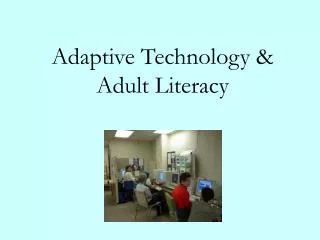
Adaptive Technology & Adult Literacy
280 likes | 406 Vues
The Adaptive Technology Project at Action Read Community Literacy Centre in Guelph, Ontario, aims to empower individuals facing educational challenges through adaptive technology. Recognizing the diverse needs of learners, including those with disabilities and socio-economic barriers, we provide access to text-readers and writing software like Kurzweil 3000 and Dragon NaturallySpeaking. Our program enhances literacy skills, with participants achieving significant improvements, fostering greater independence, employability, and access to information. This initiative, funded by Ontario's Ministry and the National Literacy Secretariat, underscores our commitment to inclusive education.


Adaptive Technology & Adult Literacy
E N D
Presentation Transcript
Thank you to: • Assistive Technology Centre • Nova Scotia Community College
“Through no fault of their own, they are the owners of brains that somehow don’t mesh with the demands they come up against” Dr. Mel Levine “A Mind at a Time”
Introduction • Jennifer Hunt, Adaptive Technology Project Co-ordinator • Action Read Community Literacy Centre • Located in Guelph, Ontario • Community-Based Literacy Program
Adaptive Technology used in a Literacy program promotes: • Access to information • Access at all levels of education • Employment, further training and independence
Learner Profiles • Educationally disadvantaged • Unemployed • Self-employed • Underprivileged • 60% receiving ODSP • 2/3 are at a grade 8 academic level
Variety of challenges for learning • Learning disabilities • Visual impairments • Hearing impairments • Physical disabilities • Emotional problems • Mobility issues
Generously Funded by: • Ontario Ministry of Training, Colleges and Universities • National Literacy Secretariat
Phase One Literacy & Adaptive Technology Overview • Use of text-readers • Group of 13 individuals • Variety of learning needs
Rationale • Learning needs were not previously being met
Assessment • Literacy and Basic Skills Learning Outcomes Matrix • Baseline
Text-Reading software used: • Kurzweil 3000 • Write:Outloud • Co:Writer • Read & Write (TextHelp) • ReadPlease
Outcomes • Improvement of 1 – 2 LBS levels • Those individuals who used the software the most, continue to use it as an accommodation
Phase Two: Adaptive Technology & Expressive Writing Overview • Field test AT software that assists with writing • Help bridge the learning barrier specifically focusing on writing
Rationale Learner criteria • Learners who may have a learning disability, cognitive delay or physical impairment that limits them form having success with expressive writing • Dysgraphia
Assessment • TOWL-3 • Pre - (handwritten format) • Post – (use adaptive technology as an accommodation)
Kurzweil 3000 Read & Write Write:Outloud Dragon NaturallySpeaking Co-Writer Word Q Inspiration Draft:Builder ZoomText WebTalkster ReadPlease Writing software used:
Outcomes • Released on our website in August 2003 www.home.golden.net/~actionr • Observations
Reasons why some individuals don‘t have access to information: • Socio-economic factors • Social isolation • Limited education
“I just want to be able to write something on my own that people understand.”
Adaptive Technology should be available to individuals at: ALL LEVELS
According to the Ontarians with Disabilities Act: “Persons with disabilities face numerous barriers in gaining access to and fully participating in society”
According to EQAO Students taking the Grade 10 Literacy Test in Ontario have the right to the following accommodation: • Technology uses such as the Kurzweil reader
Adaptive Technology promotes: • Further training • Employment • Independence
Ontario Human Rights Commission • Duty to Accommodate Section 4.4.4 • Tax deduction for accommodations in the workplace
Success = • Increased independence • Multi-sensory approach to learning
Thank you! “When you get…GIVE” When you learn…TEACH” Maya Angelou