Data Quality 1
Join Rob Dickinson, the MPAAA Executive Director, in this certification course focusing on data quality. Explore topics such as data governance, challenges in achieving quality data, identifying and fixing data problems, and the importance of training and communication in maintaining quality data.

Data Quality 1
E N D
Presentation Transcript
Data Quality 1 MSBO Certification course Rob Dickinson, MPAAA Executive Director
Data Quality 1 • Session Agenda • Putting DQ in context • Defining our terms • Why is quality data so hard to achieve? • Finding the problems • Deciding if the problem can be fixed • Fixing the problems • Questions
Putting DQ in Context • Data Quality is one part of larger model – Data Governance • Data Governance: • Policies, processes, and practices that control our data and ensure it’s quality • Hard to see directly, easier by example:
Putting DQ in Context • Where most organizations are: • Data is defined inconsistently across systems • Student data is duplicated • Staff time wasted massaging data • Fragmented view of students exists • Accuracy issues in key data elements • Inefficient, leads to 11th hour scramble
Putting DQ in Context • The goal is: • Key data elements sync across systems • Student information is not duplicated • Staff spends time analyzing, not verifying • Systems show a COMPLETE picture of student • Systems report efficiently for all compliance needs • Certification deadline is just another day
Putting DQ in Context • Not just data • How well is staff trained on data definitions? • Are field ‘owners’ known to all? • How are staff informed of inevitable changes in these things? • Are staff encouraged to analyze data? • Does EVERY staff know data privacy rules, and live them? • All there things add up to Data Governance
Defining our terms • Data Quality • 2 primary focuses • Quality Assurance • Methods and processes to keep bad data from getting into systems • Quality control • Ways to find and correct bad data once it’s in our systems
Defining our terms • Pupil Accounting terms • FTE – Full Time Equivalency • CEPI – Center for Educational Performance and Information • MSDS – Michigan Student Data System • General Collection – 3 time/year snapshot data collection • SRM – Student Record Maintenance • EEM – Educational Entity Master
Defining our terms • Pupil Accounting terms • UIC – Unique Identification Code • PIC – Personnel Identification Code • SIS/SMS/SRS – Student Information/Management/Record System
Defining our terms • Pupil Accounting terms • MDE – Michigan Department of Education • DAS – Division of Accountability Services • Secure Site – District user site maintained by DAS for districts to manage the testing of students
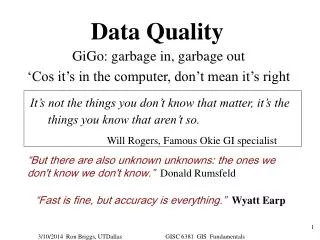
Defining our terms • Data Quality • Data that is fit for its intended use • Not “Perfect data”
Why is it so hard? • Complex systems becoming interlinked • Student records – Special Ed • Student records – Food service • Student records – Bus Routing • Student records – Personnel / HR • Student Records – Financial? • Student Records – Public portals/Websites
Why is it so hard? • Silo-ed, short term goals on long term data • Projects are very goal driven, usually compliance driven & punitive (negative feedback only) • Fosters attitude “Fix THIS, then move on” • How is data used later? • Who will use the data, and match it with what system?
Why is it so hard? • Software Development methods don’t emphasize data quality • Systems are evaluated on functions/features • Look of screen, how it functions • Information integrity is not valued as a decision making criteria • If customers don’t ask for data integrity, vendors won’t build it.
Why is it so hard? • Data problems are hard to find • Data quality evaluated by different systems than capture it • Delays in time • Personnel, source data no longer available • Once problem propagates, much harder to root out.
Why is it so hard? • Input fitness • Data is usually only made clean to the level needed by the person inputting it. • Building staff, working with parent • No incentive to maintain high data quality • Errors only show when data is summarized and integrated – which is usually at time of reporting
Why is it so hard? • Do you know all your data’s “Intended use”? • Data exists in our systems a LONG time • Impossible to know ALL intended uses at time of entry • Collection systems can’t anticipate every future need • Reactive legislature adds to the problem
Who Cares!?! • Why is quality data important?
Who Cares!?! The price of quality data is far lower than the cost of the alternative
Who Cares!?! • Costs of bad data • Financial • Embarrassment • Reputation • Changing bad habits is harder than establishing good ones
Finding the problem • Who are the flag wavers? • Who will know something is wrong? • How can they fix it, or raise flag? • How can YOU find errors? • What data can you analyze? • What’s be best time for analysis?
Finding the problem • Flag waivers • CEPI • Errors & warnings in systems • DQ reports
Finding the problem • Flag waivers • Parents • Parent portal • Opportunity to send message on bad data • Double edged sword
Finding the problem • Flag waivers • Staff • Know the students better than you • Double edged sword
If you want it done right… • Do it yourself! • Compare summary data • Do totals by various categories make sense • Need good feel for your data
Finding the problem • It can be challenging • Student ethnicity – African American • CEPI data “010000” or “000100”? • Make others explain themselves!
Finding the problem • Longitudinal comparison • Run CEPI staging reports, compare to past • What was that number last time? • What was it this time last year?
Finding the problem • Staging area is the end of the line • What could be evaluated earlier? • What reports do you have in your system that could be checked for consistency/accuracy?
Finding the problem • Data analysis • Can you run queries? • Download data from your SIS? • Can reports be dumped to Excel? • Beware of privacy issues!
Finding the problem • CEPI DQ Reports • Run before, during and after most collections • Great source of problem areas
Finding the problem • CEPI DQ Reports • Pre-collection • Looking at last collection cycle • Mid-collection • Looking at data submitted so far • End of collection • What may be wrong in what you just certified
Finding the problem • CEPI DQ Reports • Spring 2016 General collection • 12th Grade Students Over 21 Years Old • Change in Counts of Students with Home-school Residency Codes • Change in Counts of Students with Nonpublic School Residency Codes • Continuing Early On Children • Entry Assessment Missing • Exit Assessment Missing • FTE Comparison • FTE Value Greater Than 0.50 for Students with Residency Codes of Home-schooled or Nonpublic School
Finding the problem • CEPI DQ Reports • Spring 2016 General collection • Gender Count Comparison • Grade/Setting Count Comparison • IFSP Dates Over One Year Old • Initial and Current IFSP Date Conflict • Initial IFSP Missing • LEP Eligible Student Count Comparison • Program Eligibility/Participation Rates • Race/Ethnicity Count Comparison
Finding the problem • CEPI DQ Reports • Spring 2016 General collection • Ratio of FTE count to Student count is Lower Than Expected • Referral Agency Missing • Special education Children under 2 ½ Years • Special Education Student Count Comparison • Student Date of Birth Reported Inconsistently • Student Gender Reported Inconsistently
Finding the problem • CEPI DQ Reports • Spring 2016 General collection • Student Race/Ethnicity Reported Inconsistently • Student Age is Outside Expected Range for the Grade Reported • Transitioning Children • Unexpected Grade/Setting is Reported
Finding the problem • CEPI Internal DQ Reports • Spring 2016 General collection • Children Under Age for Initial IEP • FTE Total for Student is 0 in Consecutive Collections • Grade or Setting Reported not Authorized in EEM • Initial IFSP - No Referral Agency • LEP with No Services Offered • Possible Incomplete Student Address • Students Reported as Graduated in one District, continuing with FTE in Another
Deciding to fix the problem • Can the data be fixed? • Should the data be fixed?
Can the data be fixed? • Is the correction a new value for this field? • No – Easy fix • Yes – Not so easy
Can the data be fixed? • New values for a field • Mechanical issues • Will new value fit nature of field? • Will it fit in size of field? • Policy/process Issue • What else will new value affect?
Can the data be fixed? • New data values – Effects: • All existing reports, queries • Any existing error checking • Other users of this field • Other systems that link at this data
Should the data be fixed? • Reasons NOT to fix data • No effect of fix • Cost greater than benefit • Lack of resources • Internal need greater than external
Fixing the problem • At what level should the fix be executed? • How should the error be fixed? • Who should fix the error?
What level? • Sometimes, you don’t fix the data • Internal needs override external • Different uses at different levels • Options: • Fix the REPORT, not the data • Create a reporting field
Fix the report • Standing queries, data collection routines • May have to be process, not program • MISDmsds • Create a ‘report recipe’
Create Reporting field • Internal field used to break out, or consolidate data for reporting • Place to build in checks • Usually NOT available to users • Change data submission routine to use this field
Synchronization • MSDS error checking • Changing online vs re-submission • Online – Faster, more likely to NOT change in your system • Re-submission – Slower, keeps data synchronized.
How should error be fixed? • Common/multiple errors – fix with query/programmatically • Uncommon/single errors – user input
Fixing with Query • ALWAYS use 2 step process • Run list of errors that shows bad data to be changed as it exists before the change • Use EXACT same logic to fix error
Fixing with Query • Keep list, showing how data WAS • ALWAYS list before changing • The more you can do, the more you can damage!
Fixing with direct input • One-off error, single fix • Run through user interface whenever possible • Ownership vs expediency