Database Programming Techniques Overview
Explore various techniques and issues in database programming, such as Embedded SQL, Dynamic SQL, and SQLJ. Learn about approaches, impedance mismatch, and typical interactions in SQL programming.

Database Programming Techniques Overview
E N D
Presentation Transcript
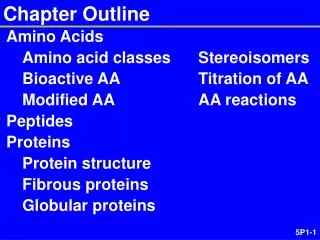
Chapter 10 Outline Database Programming: Techniques and Issues Embedded SQL, Dynamic SQL, and SQLJ Database Programming with Function Calls: SQL/CLI and JDBC Database Stored Proceduresand SQL/PSM Comparing the Three Approaches
Introduction to SQLProgramming Techniques • Database applications • Host language • Java, C/C++/C#, COBOL, or some other programming language • Data sublanguage • SQL • SQL standards • Continually evolving • Each DBMS vendor may have some variations from standard
Database Programming: Techniques and Issues • Interactive interface • SQL commands typed directly into a monitor • Execute file of commands • @<filename> • Application programs or database applications • Used as canned transactions by the end users access a database • May have Web interface
Approaches to Database Programming • Embedding database commands in a general-purpose programming language • Database statements identified by a special prefix • Precompiler or preprocessor scans the source program code • Identify database statements and extract them for processing by the DBMS • Called embedded SQL
Approaches to Database Programming (cont’d.) • Using a library of database functions • Library of functions available to the host programming language • Application programming interface (API) • Designing a brand-new language • Database programming language designed from scratch • First two approaches are more common
Impedance Mismatch • Differences between database model and programming language model • Binding for each host programming language • Specifies for each attribute type the compatible programming language types • Cursor or iterator variable • Loop over the tuples in a query result
Typical Sequence of Interaction in Database Programming Open a connection to database server Interact with database by submitting queries, updates, and other database commands Terminate or close connection to database
Embedded SQL, Dynamic SQL, and SQLJ • Embedded SQL • C language • SQLJ • Java language • Programming language called host language
Retrieving Single Tuples with Embedded SQL • EXEC SQL • Prefix • Preprocessor separates embedded SQL statements from host language code • Terminated by a matching END-EXEC • Or by a semicolon (;) • Shared variables • Used in both the C program and the embedded SQL statements • Prefixed by a colon (:) in SQL statement
Figure 10.1 C program variables used in the embedded SQL examples E1 and E2.
Retrieving Single Tuples with Embedded SQL (cont’d.) • Connecting to the database CONNECT TO <server name>AS <connection name> AUTHORIZATION <user account name and password> ; • Change connection SET CONNECTION <connection name> ; • Terminate connection DISCONNECT <connection name> ;
Retrieving Single Tuples with Embedded SQL (cont’d.) • SQLCODE and SQLSTATE communication variables • Used by DBMS to communicate exception or error conditions • SQLCODE variable • 0 = statement executed successfully • 100 = no more data available in query result • < 0 = indicates some error has occurred
Retrieving Single Tuples with Embedded SQL (cont’d.) • SQLSTATE • String of five characters • ‘00000’ = no error or exception • Other values indicate various errors or exceptions • For example, ‘02000’ indicates ‘no more data’ when using SQLSTATE
Figure 10.2 Program segment E1, a C program segment with embedded SQL.
Retrieving Multiple Tuples with Embedded SQL Using Cursors • Cursor • Points to a single tuple (row) from result of query • OPENCURSOR command • Fetches query result and sets cursor to a position before first row in result • Becomes current row for cursor • FETCH commands • Moves cursor to next row in result of query
Figure 10.3 Program segment E2, a C program segment that uses cursors with embedded SQL for update purposes.
Retrieving Multiple Tuples with Embedded SQL Using Cursors (cont’d.) • FOR UPDATE OF • List the names of any attributes that will be updated by the program • Fetch orientation • Added using value: NEXT, PRIOR, FIRST, LAST, ABSOLUTEi, and RELATIVEi
Specifying Queries at Runtime Using Dynamic SQL • Dynamic SQL • Execute different SQL queries or updates dynamically at runtime • Dynamic update • Dynamic query
Figure 10.4 Program segment E3, a C program segment that uses dynamic SQL for updating a table.
SQLJ: Embedding SQL Commands in Java • Standard adopted by several vendors for embedding SQL in Java • Import several class libraries • Default context • Uses exceptions for error handling • SQLException is used to return errors or exception conditions
Figure 10.5 Importing classes needed for including SQLJ in Java programs in Oracle, and establishing a connection and default context.
Figure 10.6 Java program variables used in SQLJ examples J1 and J2.
Figure 10.7 Program segment J1, a Java program segment with SQLJ.
Retrieving Multiple Tuples in SQLJ Using Iterators • Iterator • Object associated with a collection (set or multiset) of records in a query result • Named iterator • Associated with a query result by listing attribute names and types in query result • Positionaliterator • Lists only attribute types in query result
Figure 10.8 Program segment J2A, a Java program segment that uses a named iterator to print employee information in a particular department.
Figure 10.9 Program segment J2B, a Java program segment that uses a positional iterator to print employee information in a particular department.
Database Programming with Function Calls: SQL/CLI & JDBC • Use of function calls • Dynamic approach for database programming • Library of functions • Also known as application programming interface (API) • Used to access database • SQL Call Level Interface (SQL/CLI) • Part of SQL standard
SQL/CLI: Using Cas the Host Language • Environment record • Track one or more database connections • Set environment information • Connection record • Keeps track of information needed for a particular database connection • Statement record • Keeps track of the information needed for one SQL statement
SQL/CLI: Using Cas the Host Language (cont’d.) • Description record • Keeps track of information about tuples or parameters • Handle to the record • C pointer variable makes record accessible to program
Figure 10.10 Program segment CLI1, a C program segment with SQL/CLI.
Figure 10.11 Program segment CLI2, a C program segment that uses SQL/CLI for a query with a collection of tuples in its result.
JDBC: SQL Function Calls for Java Programming • JDBC • Java function libraries • Single Java program can connect to several different databases • Called data sources accessed by the Java program • Class.forName("oracle.jdbc.driver.OracleDriver") • Load a JDBC driver explicitly
JDBC: SQL Function Calls for Java Programming • Connection object • Statement object has two subclasses: • PreparedStatement and CallableStatement • Question mark (?) symbol • Represents a statement parameter • Determined at runtime • ResultSet object • Holds results of query
Figure 10.12 Program segment JDBC1, a Java program segment with JDBC.
Figure 10.13 Program segment JDBC2, a Java program segment that uses JDBC for a query with a collection of tuples in its result.
Database Stored Proceduresand SQL/PSM • Stored procedures • Program modules stored by the DBMS at the database server • Can be functions or procedures • SQL/PSM (SQL/Persistent Stored Modules) • Extensions to SQL • Include general-purpose programming constructs in SQL
Database Stored Procedures and Functions • Persistent stored modules • Stored persistently by the DBMS • Useful: • When database program is needed by several applications • To reduce data transfer and communication cost between client and server in certain situations • To enhance modeling power provided by views
Database Stored Procedures and Functions (cont’d.) • Declaring stored procedures: CREATE PROCEDURE <procedure name> (<parameters>) <local declarations> <procedure body> ; declaring a function, a return type is necessary, so the declaration form is CREATE FUNCTION <function name> (<parameters>) RETURNS <return type> <local declarations> <function body> ;
Database Stored Procedures and Functions (cont’d.) • Each parameter has parameter type • Parameter type: one of the SQL data types • Parameter mode:IN, OUT, or INOUT • Calling a stored procedure: CALL <procedure or function name> (<argument list>) ;
SQL/PSM: Extending SQL for Specifying PersistentStored Modules • Conditional branching statement: IF <condition> THEN <statement list> ELSEIF <condition> THEN <statement list> ... ELSEIF <condition> THEN <statement list> ELSE <statement list> END IF ;
SQL/PSM (cont’d.) Constructs for looping
Comparing the Three Approaches • Embedded SQL Approach • Query text checked for syntax errors and validated against database schema at compile time • For complex applications where queries have to be generated at runtime • Function call approach more suitable
Comparing the Three Approaches (cont’d.) • Library of Function Calls Approach • More flexibility • More complex programming • No checking of syntax done at compile time • Database Programming Language Approach • Does not suffer from the impedance mismatch problem • Programmers must learn a new language
Summary • Techniques for database programming • Embedded SQL • SQLJ • Function call libraries • SQL/CLI standard • JDBC class library • Stored procedures • SQL/PSM