Guidelines for Citing References and In-Text Citations in Academic Writing
This guide provides essential instructions for formatting references and in-text citations in academic papers. Key topics include proper arrangement of references alphabetically by the author's last name, capitalization rules for titles, and guidelines for citing sources within the text. It emphasizes the importance of using signal phrases to introduce quotations and provides detailed formatting advice for both longer works (italicized) and shorter articles (non-italicized). Adhering to these standards helps maintain clarity and consistency in scholarly writing.

Guidelines for Citing References and In-Text Citations in Academic Writing
E N D
Presentation Transcript
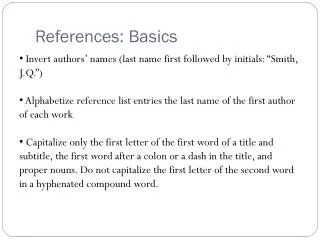
References: Basics • Invert authors’ names (last name first followed by initials: “Smith, J.Q.”) • Alphabetize reference list entries the last name of the first author of each work • Capitalize only the first letter of the first word of a title and subtitle, the first word after a colon or a dash in the title, and proper nouns. Do not capitalize the first letter of the second word in a hyphenated compound word.
References: Basics • Capitalize all major words in journal titles • Italicize titles of longer works such as books and journals • Do not italicize, underline, or put quotes around • the titles of shorter works such as journal articles or essays in edited collections
In-text Citations: Basics • In-text citations help readers locate the cited source in the References section of the paper. • Whenever you use a source, provide in parenthesis: • the author’s name and the date of publication • for quotations and close paraphrases, provide the author’s name, date of publication, and a page number
In-text Citations: Signal Words Introduce quotations with signal phrases, e.g. According to X. (2008), “….” (p. 3). X. (2008) argued that “……” (p. 3). Use such signal verbs as: acknowledged, contended, maintained, responded, reported, argued, concluded, etc. Use the past tense or the present perfect tense of verbs in signal phrases
References Page • Center the title (References) at the top of the page. Do not bold it. • Double-space reference entries • Flush left the first line of the entry and indent subsequent lines • Order entries alphabetically by the author’s surnames