
SlideServe
Menu
Préférences
© SlideServe · v2026

Constructing a Project Network

lenci avatar
20 diapositives · 652 Views · Sep 10, 2014

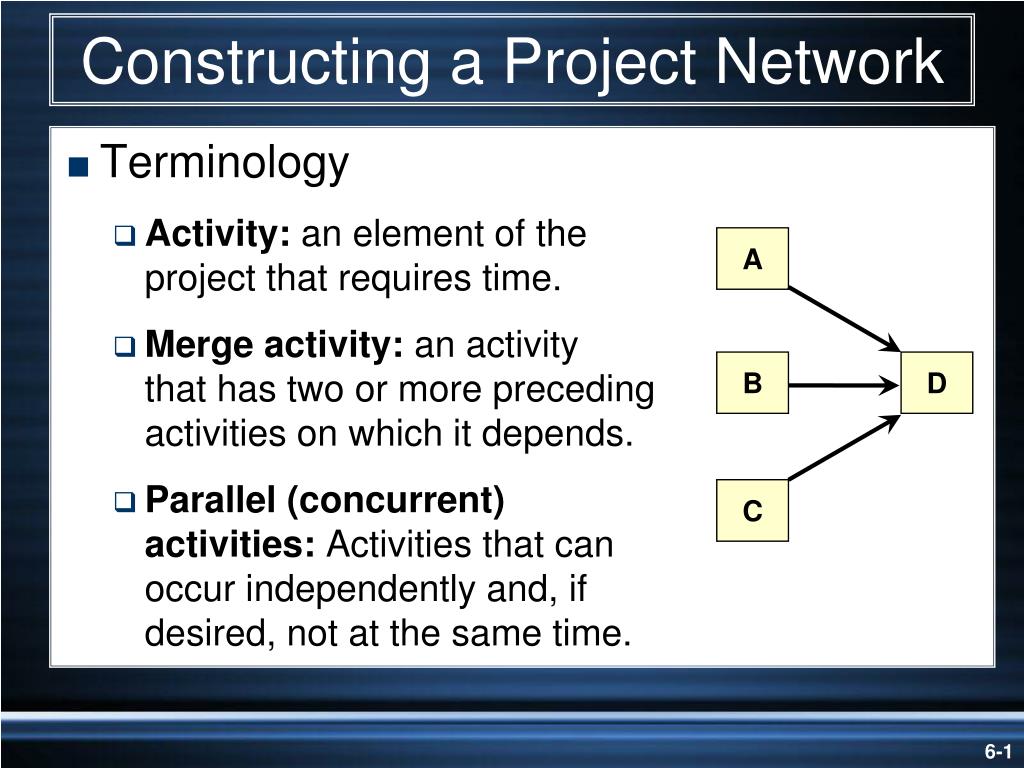
A. B. D. C. Constructing a Project Network. Terminology Activity: an element of the project that requires time. Merge activity: an activity that has two or more preceding activities on which it depends.
Constructing a Project Network - slide 1
01 / 20Constructing a Project Network
1 / 17

Télécharger la présentation

Constructing a Project Network
Une image / un lien ci-dessous est fourni (tel quel) pour télécharger la présentation

Politique de téléchargement : le contenu du site vous est fourni TEL QUEL pour votre information et votre usage personnel ; il ne peut être vendu, concédé sous licence ni partagé sur d’autres sites sans l’accord de son auteur.Le contenu vous est fourni TEL QUEL, pour votre information et votre usage personnel uniquement. Téléchargez la présentation en cliquant sur ce lien. Lors du téléchargement, si vous ne parvenez pas à télécharger une présentation, l’éditeur a peut-être supprimé le fichier de son serveur.Pendant le téléchargement, si vous ne parvenez pas à obtenir une présentation, le fichier a peut-être été supprimé par l’éditeur.

F I N

Plus de contenu associé

Transcription de la présentation
  1. A B D C Constructing a Project Network • Terminology • Activity: an element of theproject that requires time. • Merge activity: an activity that has two or more preceding activities on which it depends. • Parallel (concurrent) activities: Activities that can occur independently and, if desired, not at the same time.

  2. Activity-on-Node Fundamentals FIGURE 6.2

  3. Activity-on-Node Fundamentals (cont’d) FIGURE 6.2 (cont’d)

  4. C A B Constructing a Project Network (cont’d) • Terminology • Path: a sequence of connected, dependent activities. • Critical path: the longest path through the activity network that allows for the completion of all project-related activities; the shortest expected time in which the entire project can be completed. Delays on the critical path will delay completion of the entire project. D (Assumes that minimum of A + B > minimum of C in length of times to complete activities.)

  5. Activity-on-Node Network FIGURE 6.5

  6. Forward Pass Computation • Add activity times along each path in the network (ES + Duration = EF). • Carry the early finish (EF) to the next activity where it becomes its early start (ES) unless… • The next succeeding activity is a merge activity, in which case the largest EF of all preceding activities is selected.

  7. Activity-on-Node Network Backward Pass FIGURE 6.7

  8. Backward Pass Computation • Subtract activity times along each path in the network (LF - Duration = LS). • Carry the late start (LS) to the next activity where it becomes its late finish (LF) unless... • The next succeeding activity is a burst activity, in which case the smallest LF of all preceding activities is selected.

  9. Determining Slack (or Float) • Free Slack (or Float) • The amount of time an activity can be delayed without delaying connected successor activities • Total Slack • The amount of time an activity can be delayed without delaying the entire project • The critical path is the network path(s) that has (have) the least slack in common.

  10. Sensitivity of a Network • The likelihood the original critical path(s) will change once the project is initiated. • Function of: • The number of critical paths • The amount of slack across near critical activities

  11. Activity-on-Node Network with Slack FIGURE 6.8

  12. Network Using Lags FIGURE 6.20

  13. Key Terms Activity Activity-on-arrow (AOA) Activity-on-node (AON) Burst activity Concurrent engineering Critical path Early and late times Gantt chart Hammock activity Lag relationship Merge activity Network sensitivity Parallel activity Slack/float—total and free

  14. Activity-on-Arrow NetworkBuilding Blocks FIGURE A6.1

  15. Activity-on-Arrow Network Fundamentals FIGURE A6.2

  16. Activity-on-Arrow Network Fundamentals FIGURE A6.2 (cont’d)

  17. Partial AOA Koll Network FIGURE A6.4

  18. Activity-on-Arrow Network FIGURE A6.5

  19. Activity-on-Arrow NetworkForward Pass FIGURE A6.6

  20. Activity-on-Arrow Network Backward Pass FIGURE A6.7