Download
1 / 24
240 likes | 353 Vues
This guide delves into the methodologies for displaying vector and raster data in ArcMap, focusing on symbology and labeling techniques. It covers essential topics like color palettes, contrast enhancements, and projections, including Mercator and Universal Transverse Mercator systems. Additionally, you'll find sources for various datasets, such as USGS and state GIS repositories. The guide emphasizes adding your data with X,Y coordinates and the importance of geocorrection and georeferencing old maps to enhance your mapping projects. Ideal for GIS professionals and enthusiasts.

E N D
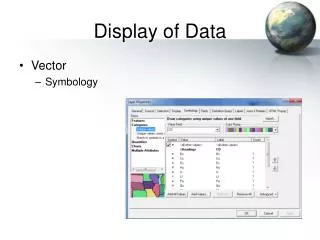
Display of Data • Vector • Symbology
Display of Data • Vector • Symbology • Labeling
Display of Data • Vector • Symbology • Labeling • Raster • Color Palettes
Display of Data • Vector • Symbology • Labeling • Raster • Color Palettes • Contrast Enhancements
Map Making • ArcMap Layout View
Sources of Data • USGS http://eros.usgs.gov/#/Find_Data
Sources of Data • State (Ex. MARIS http://www.maris.state.ms.us/home.htm)
Sources of Data • GIS Data Deopt (http://data.geocomm.com/catalog/index.html)
Projections • Models for representing the shape of the Earth
Projections • Mercator
Projections • Transverse Mercator
Projections • Universal Transverse Mercator
Projections • Universal Transverse Mercator
Projections • Local Variations Mississippi Transverse Mercator System (MSTM)
Projections • State Plane
Projections • Datums: NAD83, NAD27
Projections • Datums: NAD83, NAD27 • Geoids: Clark1866, GRS80, WGS84
Projections • ArcMap: Define Projection
Projections • ArcMap: Project on the Fly!
Adding Your Own Data • Vector • Add X,Y Data
Adding Your Own Data • Vector • Add X,Y Data • Geocorrection (Spatial Adjustment)
Adding Your Own Data • Vector • Add X,Y Data • Geocorrection (Spatial Adjustment) • Raster • Georeferencing
Example: Hollywood • Georeference old site map (raster) • Add my excavation units from 2011 (vector)