Essentials of HTML Tags: Structure, Types, and Best Practices for Web Pages
Discover the fundamental concepts of HTML tags, the core building blocks of web pages. This guide explains the two-sided and one-sided tags, including their syntax and purpose. Learn about comment tags for documentation, the significance of whitespace, and how attributes enhance element behavior. Gain insights into structuring an HTML document with head and body sections, creating lists, and using empty elements effectively. Master best practices for writing clean, readable HTML code to improve your web development skills.

Essentials of HTML Tags: Structure, Types, and Best Practices for Web Pages
E N D
Presentation Transcript
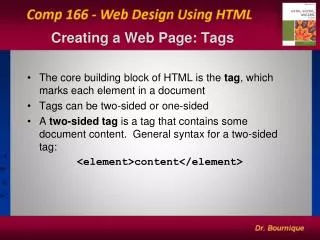
Creating a Web Page: Tags • The core building block of HTML is the tag, which marks each element in a document • Tags can be two-sided or one-sided • A two-sided tag is a tag that contains some document content. General syntax for a two-sided tag: <element>content</element>
Two-Sided and One-Sided Tags • A two-sided tag’s opening tag (<p>) and closing tag (</p>) should completely enclose its content • HTML allows you to enter element names in either uppercase or lowercase letters • A one-sided tag contains no content; general syntax for a one-sided tag: <element /> Elements that employ one-sided tags are called empty elements since they contain no content. An example is a line break <br/>
Comment Tags • A third type of tag is the comment tag, which you can use to add notes to your HTML code <!– comment --> • Comments are useful in documenting your HTML code for yourself and others
White Space and HTML • HTML file documents are composed of text characters and white space • Whitespace is the blank space, tabs, and line breaks within the file • HTML treats each occurrence of white space as a single blank space • You can use white space to make your document more readable
Element Attributes • Many tags contain attributes that control the behavior, and in some cases the appearance, of elements in the page • Attributes are inserted within the tag brackets: <element attribute1=“value1” attribute2=“value2” …/>for one-side tags <element attribute1=“value1” attribute2=“value2”…> content </element>for two-sided tags
The Structure of an HTML File • The opening <html>tag marks the start of an HTML document, and the closing </html> tag tells a browser when it has reached the end of that HTML document • Anything between these two tags makes up the content of the document, including all other elements, text, and comments
The Head and Body of an HTML File • An HTML document is divided into two parts: the head and the body • The head element contains information about the document, for example: - The title element contains the page’s title; a document’s title is usually displayed in the title bar • The link element associates an external stylesheet with an HTML file • The script element adds JavaScript functionality to the HTML file
The Body of an HTML File • The body element contains all of the content to be displayed in the Web page • The body element can contain code that tells the browser how to render the content
Grouping vsText-Level Elements • In a Web page, most content is marked as either a grouping (block) element or a text-level element • A groupingelement contains content displayed in a separate section within the page, setting it off from other blocks • A text-level element is part of the same block as its surrounding content—for example individual words or phrases within a paragraph
Headings • HTML supports six heading elements:
Creating Lists • HTML supports three kinds of lists: ordered, unordered, and definition • You use an orderedlist for items that must appear in a particular sequential order: <ol> … </ol> • You use an unorderedlist for items that do not need to occur in any special order: <ul> … </ul> • Items within the list are defined using the <li> … </li>tags. • One list can contain another list; this is called a nested list
Some Useful Empty Elements • To display a graphic, you insert an inlineimage into the page using the <img /> element. An inline image displays a graphic image located in a separate file within the contents of a block-level element • You can insert a horizontal rule by using the empty one-sided tag <hr /> • You can insert a line break using the tag <br />
Character Sets and Special Characters • Character sets come in a wide variety of sizes, based on the number of symbols required for communication in the chosen Language • ASCII - Unicode - ISO 8859-1 • Latin-1 - UTF-8 • Occasionally you will want to include special characters in your Web page that do not appear on your keyboard • HTML supports the use of character symbols that are identified by a code number or name ₤ ® &code; or&#number;
Some Frequently Used Special Characters Example: < is written in HTML as either < or <
Tips for Good HTML Code • Use line breaks and indented text to make your HTML file easier to read • Insert comments into your HTML file to document your work • Enter all tag and attribute names in lowercase • Place all attribute values in quotes • Close all two-sided tags
Tips for Good HTML Code continued • Make sure that nested elements do not cross • Include the altattribute for any inline image to specify alternative text for non-graphical browsers • Know your market and the types of browsers that your audience will use to view your web page • Test your web page on all relevant browsers