
Uploaded by
maeve
9 SLIDES
195 VUES
90LIKES
Chocolate Mold Design Guide for EdgeCAM Integration
DESCRIPTION
Learn to design your desired chocolate mold with precise instructions for placement, cutting, splitting, and saving parts using EdgeCAM software.
Download
1 / 9
Télécharger la présentation 
Chocolate Mold Design Guide for EdgeCAM Integration
An Image/Link below is provided (as is) to download presentation
Download Policy: Content on the Website is provided to you AS IS for your information and personal use and may not be sold / licensed / shared on other websites without getting consent from its author.
Content is provided to you AS IS for your information and personal use only.
Download presentation by click this link.
While downloading, if for some reason you are not able to download a presentation, the publisher may have deleted the file from their server.
During download, if you can't get a presentation, the file might be deleted by the publisher.
E N D
Presentation Transcript
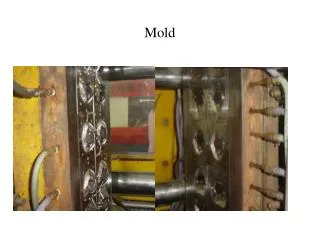
Design the block part that the finished product will be placed in
In an assembly put the part into the block, centered on all three axis's
Place a point on the bottom face of the block and cut a counter-sunk hole into the block all the way to the part.
Place a work plane right through the middle of the part and block
“Split” the block removing the front half of the block, then save the part.
Undo the split and split it the other way and save that half too.
















More Related