Mastering Digital Business Communication: Effective Email Practices
70 likes | 185 Vues
In this unit, you will learn essential digital business communication skills with a focus on email usage. Keep track of all versions of files you create and establish consistent naming conventions. Organize your work meticulously and ensure proper backups. Create a professional email signature and adjust your email stationery settings. Set up an email distribution list for clients and prepare netiquette guidelines. Learn to effectively manage your inbox with dedicated folders for clients and directors, and utilize filters to organize emails efficiently.


Mastering Digital Business Communication: Effective Email Practices
E N D
Presentation Transcript
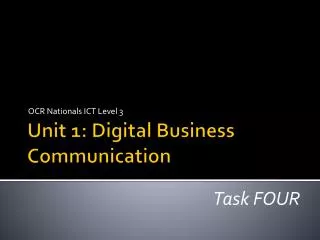
OCR Nationals ICT Level 3 Unit 1: Digital Business Communication Task FOUR
Standard Ways of Working • Keep all versions or drafts of every file you create – and name them accordingly (e.g. logo1, logo2, logo3.) You MUST include them all in your coursework. • Naming conventions – watch out that you consistently name files appropriately! • Organise your work carefully – make sure you ALWAYS – and I MEAN ALWAYS back up your work to more than just another USB pen. • Email submissions to me at KES or nationals so we both have a copy of everything.
Task 4: Effective use of email • Now you guys may all think you know how to use email… but you are SOOOOOO wrong! • Firstly create a signature for yourself working at New Solutions for Business • Change the email stationery settings.
Task 4: Effective use of email • Set up an email distribution list for all the people in your address book whose Job Title is ‘client’. • Prepare a document outlining email netiquette guidelines. • Send this document and the presentation you prepared in Task 3 as an attachment in a single zipped folder to sallyt@progress-media.co.uk. • Include instructions in your email message explaining how these files can be extracted. • Copy the Managing Director (your tutor) into this email. • Print a copy of the document and the email you sent to Sally
Task 4: Effective use of email • Create two folders within your Inbox, one to store emails from the clients, and one to store emails from the Managing Director. • To achieve Distinction level you should also set up rules to automatically save emails in the appropriate folder. • You will receive an email message from the Managing Director (your tutor). Read this email and carry out the tasks requested.
Task 4: Effective use of email • Demonstrate how to use a spam-email filter to carry out the following activities: • direct any messages from dghr@coldmail.com into your spam/junk mail folder • set all messages sent from @ocr.org.uk as safe and not containing spam/junk mail