Download
1 / 1
10 likes | 130 Vues
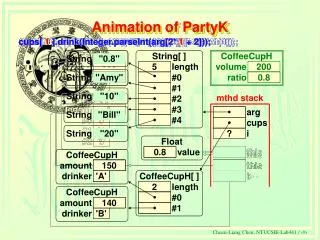
This document provides insights into the Java implementation for managing coffee cup ratios using the `CoffeeCupH` class. It details how to instantiate coffee cups, set their drink ratios, and manage the consumption of drink amounts for different individuals, such as 'Amy' and 'Bill'. The code snippet illustrates the dynamic creation of coffee cups based on command-line arguments, showcasing how to parse input values effectively. This guide is suitable for Java developers looking to understand beverage management systems through an object-oriented approach.

E N D
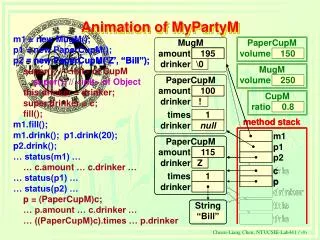
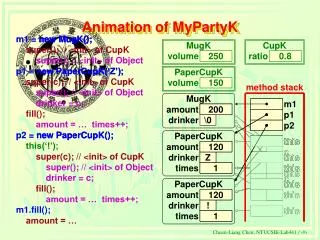
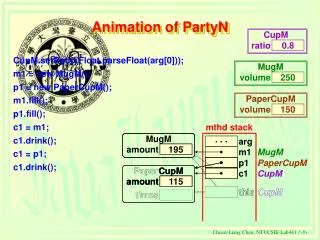
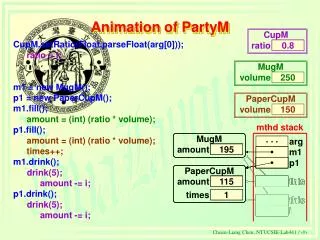
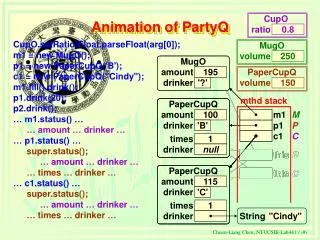
CoffeeCupH.setRatio(new Float(arg[0]).floatValue()); cups = new CoffeeCupH[(arg.length - 1) / 2]; cups[ 0 ] = new CoffeeCupH(arg[2* 0 +1].charAt(0)); cups[ 1 ] = new CoffeeCupH(arg[2* 1 +1].charAt(0)); cups[ 0 ].drink(Integer.parseInt(arg[2* 0 + 2])); cups[ 1 ].drink(Integer.parseInt(arg[2* 1 + 2])); cups[ 0 ].drink(Integer.parseInt(arg[2* 0 + 2])); cups[ 1 ] = new CoffeeCupH(arg[2* 1 +1].charAt(0)); this cups = new CoffeeCupH[(arg.length - 1) / 2]; cups[ 0 ] = new CoffeeCupH(arg[2* 0 +1].charAt(0)); String CoffeeCupH String "0.8" String . . . . . . volume 200 . . . String value . . . "Amy" ratio 0 java PartyK 0.8 Amy 10 Bill 20 CoffeeCupH.setRatio(new Float(arg[0]).floatValue()); value String "10" char[ ] mthd stack char[ ] length 3 String[ ] String "Bill" length #0 3 '0' 5 length #0 #1 '0' '.' #0 String "20" #1 #2 '.' '8' #1 CoffeeCupH[ ] #2 '8' #2 0.8 this f this CoffeeCupH 2 length #3 this . . . this . . . this . . . amount 0 null #0 #4 i 0 'A' c . . . 160 this this drinker '?' null #1 ? arg this 'A' c this 10 i Float ? cups . . . CoffeeCupH . . . 0.0 value ? i amount 160 f drinker 'B' Animation of PartyK cups[ 0 ] = new CoffeeCupH(arg[2* 0 +1].charAt(0)); CoffeeCupH.setRatio(new Float(arg[0]).floatValue()); cups[ 0 ].drink(Integer.parseInt(arg[2* 0 + 2])); cups[ 0 ] = new CoffeeCupH(arg[2* 0 +1].charAt(0)); CoffeeCupH.setRatio(new Float(arg[0]).floatValue()); java PartyK 0.8 Amy 10 Bill 20 0.8 0.8 150 140