Enhancing Classroom Learning with Google Tools: A Guide for Educators
240 likes | 353 Vues
Discover how to leverage Google tools in the classroom to enhance learning and teaching experiences. From customizing your iGoogle homepage to integrating Google Docs, Scholar, and YouTube, educators can utilize a myriad of resources that promote collaborative learning and efficient communication. Learn about advanced search features for finding scholarly publications, creating interactive community projects with Google Earth, and utilizing Blogger for classroom blogging. Explore tools like Google Calendar for scheduling and Google Mail for seamless communication.


Enhancing Classroom Learning with Google Tools: A Guide for Educators
E N D
Presentation Transcript
Google in the Classroom Michelle CheastySupervisor of Instructional Technology and Information SystemsFlemington- Raritan Regional Schools
iGoogle • Customize your homepage • Add gadgets • Rearrange homepage • Everything you need on one screen
More • Most used Google tools • Includes books, scholar, and documents • Easily found on Google page
More- Even More • Includes all of the Google tools • Many are widely used web 2.0 tools • Easily integrated into the classroom
Books • Set up similar to other e- reader sites • Able to categorize your library • Easily search for books • Many free books available • Advance search features available • New partnerships formed with many book publishers
Chrome • Google’s web browser • Fast, stable, and secure browser for PCs • New Google netbooks use similar code for operating system • Compatible with XP, Vista and 7
Earth • Map anywhere in the world • Add notes, comments, and other information to locations • Easily create community projects • Virtual field trip
Scholar • Only scholarly publications • Peer- reviewed • Majority of articles available free
Blogger • Free blogging space • Able to protect- “invisible” to those not “invited” to participate • Great for interactive communication • Can limit postings to only approved postings
Calendar • Add appointments • Invite attendees • Link files • Share calendar with others • View multiple calendars at once
Groups • Join one of many already created groups (there is a teachers group already in existence) • Create your own group • Manage groups easily through iGoogle homepage • Choose the way you want to receive group updates
Google Mail • Free • Easy to use • Easy to integrate • Android/ smart phone compatible
Docs • Invite those who can view or edit documents • Multiple editors at one time • Participate all at once or in a “round robin” • View real- time edits
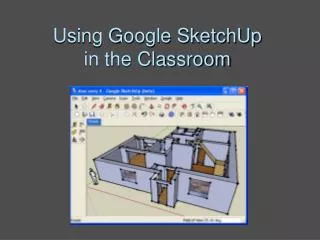
SketchUp • Create 3D drawings • Use pre- installed additions or create your own • Pull in pictures from the web
YouTube • Teacher Tube, School Tube • Millions of posted videos • How- tos, instructional, and examples of what not to do • Easy to upload and create your own “channel”
Reader • Get all blogs and newsfeeds on one screen • Easily mark multiple items as read • Create categories • Make recommendations/ get recommendations • Create new subscriptions
Google Educator • Tools for the classroom • Classroom activities • Classroom posters • Google Teacher Academy • Teacher Community • Recent Projects and News • Google Apps for Education
Battling the Tech Dept • Balance between network security and educational needs • Conversations with stakeholders • Training, Training, Training • Testing applications • Pilot program • Buy- in from administration • Parental support
Thank You to AverMedia for providing the document camera and CDWG for providing the projector
Resources • http://www.google.com/educators/index.html • http://www.google.com/educators/about.html • http://www.google.com/educators/community.html • http://www.google.com/a/help/intl/en/edu/alloftheabove.html • http://www.google.com/a/help/intl/en/edu/index.html#utm_campaign=en&utm_source=en-ha-na-us-bk&utm_medium=ha&utm_term=google%20educational • http://www.google.com/a/help/intl/en/edu/k12.html • http://sites.google.com/site/googclass/ • http://sites.google.com/site/sdusdgoo/
Resources • http://code.google.com/edu/languages/google-python-class/index.html • http://news.cnet.com/2100-1038_3-6125069.html • http://mashable.com/2009/05/28/google-wave-guide/ • http://www.slideshare.net/soul4real/using-google-in-the-classroom • http://chronicle.com/blogs/profhacker/revisiting-google-docs-for-classroom-use/23721 • http://edte.ch/blog/2008/08/23/10-google-forms-for-the-classroom/ • http://mrssmoke.onsugar.com/12-Best-Google-Keywords-Finding-Classroom-Resources-3021349
Michelle Cheasty • Supervisor of Instructional Technology and Information SystemsFlemington Raritan Regional School Districtmcheasty@frsd.k12.nj.us