Memory hierarchy
This article delves into the memory hierarchy in microprocessors, explaining how data is managed between the CPU, RAM, and various cache levels. It covers the differences between Cache Level 1, Level 2, and Level 3, including their sizes and functions, as well as the concept of virtual memory as an extension of RAM. By illustrating how multi-core processors benefit from shared cache levels, the piece highlights the importance of memory management for optimal CPU performance. Learn how to display numbers using 7-segment displays and how digits can be extracted from integers.


Memory hierarchy
E N D
Presentation Transcript
Memory hierarchy 353156 – Microprocessor Asst. Prof. Dr. ChoopanRattanapoka and Asst. Prof. Dr. SuphotChunwiphat
Two 7-Segments Display • Last week, we control a 7-segment • How about two 7-segments if you want to display a number “53” on two 7-segment • Suppose we define a local variable • unsigned int number = 53; • We can get the most significant digit (MSD) by • unsigned int MSD = number / 10; • We can get the least significant digit (LSD) by • unsigned int LSD = number % 10; OR • unsigned int LSD = (number – (MSD * 10))
Exercise 1 • Suppose X = 1456; • 6 as the first digit • 5 as the second digit • 4 as the third digit • 1 as the fourth digit • How to write a program to store the first digit, the second digit, the third digit and the fourth digit of X in variable A, B, C, and D respectively ?
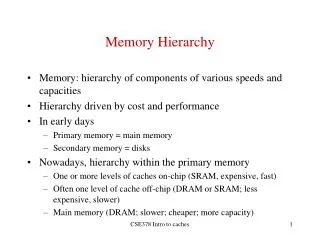
Memory Hierarchy • We have learnt that CPU need to load instructions from RAM to register (Fetch) • Then, CPU decodes the instruction (Decode) • Then Execute the instruction (Execute) ALU Registers Load/Store CPU RAM However, transfer data between CPU and RAM is slow comparing to CPU processing speed
Cache Level 1 • The solution to fix the slow date transfer rate between CPU and RAM, The CPU manufacturer put a high speed memory called “cache”inside in CPU chip. • Thus, the set of instructions will be loaded from RAM to cache and then CPU can load instructions from cache • Cache L1 run at CPU clock speed, but it’s quite small • Intel core-i7 has • 32 kB of instruction cache • 32 kB of data cache ALU Registers Load/Store Cache L1 CPU RAM
Cache Level 2 • Only cache L1 is not enough to improve PC performance that much. • In the past, mainboard manufacturers put a faster memory as a buffer between CPU and RAM. • We call it “cache level 2” (cache L2) ALU Registers Cache L1 RAM Cache L2 CPU • As time goes by, The CPU manufacturers can make circuits inside CPU smaller and smaller. Thus, there is more space left on the CPU die. • CPU manufacturers put cache level2 inside CPU. (Normally cache L2 size is around 1 MB to 6 MB) ALU Registers Cache L1 Cache L2 RAM CPU
CPU Core • Since CPU technology develops very fast. The circuits inside CPU becomes smaller and smaller. • The CPU manufacturers decides to fill up the die with multiple ALU, cache, and registers (core) • In theory, CPU can do more than 1 instruction at a time Core Core ALU Registers ALU Registers Cache L1 Cache L1 Cache L2 Cache L2 CPU
CPU : 1 core VS 2 cores ALU Registers Core Core ALU Registers ALU Registers Cache L1 Cache L1 Cache L1 Cache L2 Cache L2 Cache L2 CPU CPU
Cache Level 3 • CPU core2 family (core2-duo, core2-quad) has only cache L2 • However in core-i family (core-i3, core-i5, core-i7), Intel put cache L3 in CPU. This cache is shared for all the cores in chip • Cache L3 size is around 8MB
Virtual Memory • Remind you that programs need to be loaded to RAM. • CPU can’t read instruction or data from harddisk directly. • How about some software such as game ? • For example: Game size is 8 GB • But your PC has RAM only 4 GB (can you play this game?) • We need to extend RAM size to fit software size • Operating System (OS) use some part of harddisk to act as a RAM extension, we call it “Virtual Memory” • Normally Virtual Memory size is about 2 – 2.5 times of RAM size
Memory Conclusion (1) RAM Harddisk Virtual Memory
Central Processor Unit (CPU) Increasing Distance from CPU,Decreasing cost / MB “Upper” Cache L1 Cache L2 Cache L3 “Lower” RAM Memory Conclusion (2) Levels in memory hierarchy Virtual Memory Size of memory at each level