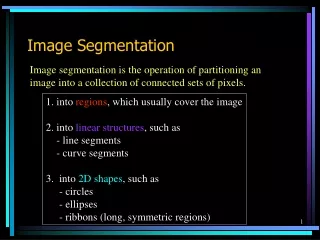
Image Segmentation
This project outlines a robust methodology for extracting images of soccer players using color and edge information. The process begins by acquiring hue, saturation, and intensity (HSI) to obtain color data, followed by the application of MATLAB's "edge" command to detect image boundaries. The method combines color and edge data to refine the segmentation. The final output involves filling in gaps and removing noise from the segmented image. Future work aims to enhance algorithms for interpolation and explore alternative segmentation techniques.


Image Segmentation
E N D
Presentation Transcript
Image Segmentation Chin-Ya Huang Mon-Ju Wu ECE 533 Final Project, Fall 2006 University of Wisconsin – Madison
Methodology • Acquire the color information and the edge information separately. • Use hue, saturation and intensity to get color information. • Use the Matlab “edge” command to extract the image boundary. • Combine the above result by getting the union of (2) and (3). • Final modification.
Example Target: Extract the image of the soccer player out from the entire image.
Step 1 : Using HSI as a threshold • Cut partial images to compute the HSI values. • Set the threshold value. • Examine through the image to acquire the color information.
Step 2 : Using Matlab “edge” command • Use Matlab “edge” command to extract the course edges. • Use Matlab “imfill” command to fill the area whose surrounding course edges make a closure.
edge imfill(edge)
Step 3 : Combine the above images • Get the union of the images from Step 1 and Step 2. • Combine the color information and the edge.
Step 4 : Final modification • Perform dilate on “edge” make sure all the separate line segments are connected. • Use “imfill” command to fill the area inside the boundary.
Step 4 : Final modification (cont.) • Intersect the image from (B) with the image from Step 3 to remove the noise. • Image from (C) is the final result.
Final Result Original Image
Future Work • Develop a more powerful algorithm to perform interpolation in order to connect the disconnected line segment. • Find other ways to segment image other than using HSI. • Develop a more powerful algorithm for noise removal.