Ergonomics and Health: Preventing Computer-Related Injuries with Proper Practices
In our digital age, prolonged computer use can lead to various health issues. This guide from Serirahayu and Norfarhanim emphasizes the importance of ergonomics in creating a healthy workspace. Key ergonomic tips include adjusting chair height for support, positioning the keyboard at elbow level to maintain an open arm angle, ensuring adequate lighting to reduce eye strain, and maintaining proper monitor distance and height. Additionally, practicing good posture and taking regular breaks are vital to enhance comfort and prevent injuries. Prioritizing these practices will help maintain wellness during computer use.

Ergonomics and Health: Preventing Computer-Related Injuries with Proper Practices
E N D
Presentation Transcript
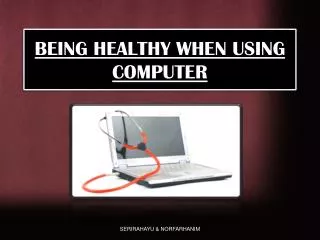
BEING HEALTHY WHEN USING COMPUTER SERIRAHAYU & NORFARHANIM
APPLY ERGONOMICS ITS TO PREVENT SOME INJURIES WHEN USING COMPUTER IN LONG PERIODS SERIRAHAYU & NORFARHANIM
CHAIR • Seat height • - Easily to adjustable • Seat width and depth • Enough width and depth to support any user comfortable. • Backrest • Support the natural curve of the spine • Seat material • Enough padding to be comfortable to sit an long periods. SERIRAHAYU & NORFARHANIM
KEYBOARD • Position your keyboard slightly below your elbow. • Make sure the height of your keyboard allows you to keep an “ open angle ” with your arms. • Do NOT use wrist rest while typing • Put your keyboard and mouse on keyboard tray. SERIRAHAYU & NORFARHANIM
LIGHTING • Lighting should be adequate for you to see text and screen. • Bright enough for you to work BUT not so bright • Use desk lamp if the area not enough bright. • Good lighting can prevent from eyestrain, headaches and blurred or doubled vision. SERIRAHAYU & NORFARHANIM
MONITOR • Viewing distance • Stretch your arm towards the monitor. • Monitor height • Monitor position allows your head to be balance comfortably over your shoulders. • Tilting the monitor • So that, it face your eyes. • Monitor screen and your face should be parallel to each other. SERIRAHAYU & NORFARHANIM
POSTURE • Your back should be straight to prevent back pain. • Put your feet plat on floor. • Watch your wrist posture • Keep your elbow and shoulders relaxed. • Take regular breaks • For two to five minutes every half-hour • Walk around, stretch, roll your shoulders, get a drink of water. • take breaks is good for your eyes and your posture. SERIRAHAYU & NORFARHANIM
CONCLUSION So, to be healthy we should apply all the ergonomics in our life not for during using the computer only. SERIRAHAYU & NORFARHANIM