Download
1 / 25
250 likes | 354 Vues
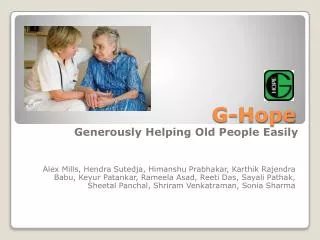
The G-Hope application is designed to ease communication and provide support for elderly individuals, addressing key features like personalization, user-friendliness, and accessibility. This presentation covers the problem statement, process models, and the application's functional specifications, including use case and class diagrams. We discuss the implementation challenges, such as time constraints on features like video calling and medical sensors. The anticipated requirements and solutions to user interface changes demonstrate our commitment to serving our users.

E N D
G-Hope Generously Helping Old People Easily Alex Mills, HendraSutedja, HimanshuPrabhakar, KarthikRajendraBabu, KeyurPatankar, RameelaAsad, Reeti Das, SayaliPathak, SheetalPanchal, ShriramVenkatraman, Sonia Sharma
Presentation Agenda • Problem Statement • Process Model • Use Case Diagram • Class Diagram • SIG Graph • Demo • Traceability • Creep Tolerance • Justification
New Requirements • SHALL’s • History button shall provide user friendliness • SHOULD’s • Personalization is one the key features of our HOPE application • WILL’s • American Sign language Symbols - To be a part of the vocabulary? • Video Call feature has not been implemented due to time constraints • Sensors like medical alarm fall detector has not been implemented due to time constraints and doubts about its usefulness
Process Model G-Hope Phase 1 Life Cycle G-Hope Phase 2 Life Cycle
Project Website http://g-hope.sf.net
Tools Used in Process /Product Modeling • Project Scheduling: Microsoft Project • Team Communication: Google Group • Functional Modeling: Rational Software Architect • Business Modeling: Microsoft Visio • Source Code Control: Tortoise SVN • IDE: Eclipse • Android Version: 2.1 Eclair
SIG Graph Usability
Traceability Phase 2 Final Functional Prototype Phase 2 Interim Product Spec. Stake Holder Request Phase 1 WRS Doc
Creep Tolerance Rate • Can accommodate approximately 10% change. • Easy to accommodate: • Changes to the user interface • “Tweaks” of existing features • Minor additions to functional requirements • Difficult to accommodate: • Changes to the problem or goal • Major changes in the domain requirements • Major additions to functional requirements
Justification • Performance • Emergency call in 3 clicks • Max. Screen depth of 3-4 screens • Clear and Intuitive Vocabulary • Categories and sub-categories • Multiple sentences associated with every image • Understandability • Minimum icon size 1cm*1cm • Navigation is easy, user can go forward or backward or to home page easily • Ease of use • Touch based input • Help Availability • Maximum navigation depth of 3-4 clicks • Easy to read, view icons • Accessibility of critical functions • Helps not only elderly, anyone with communication difficulties • Frequently used sentences and categories are available • PANIC Function