Exploring the Hitachi H8/3297 and Atmel ARM Processors for LEGO Mindstorms Robotics
This guide dives into the capabilities of the Hitachi H8/3297 and Atmel 32-bit ARM processors in LEGO Mindstorms NXT robotics. It discusses their inputs, outputs, internal memory, and programmability through leJOS. Learn about implementing sensors like light, touch, rotation, and sonar, as well as how to design and debug robot programs. Explore various programming modes such as Pilot, Inventor, and Investigator, and apply them to create interactive robotic challenges, including obstacle avoidance and distance measurement.

Exploring the Hitachi H8/3297 and Atmel ARM Processors for LEGO Mindstorms Robotics
E N D
Presentation Transcript
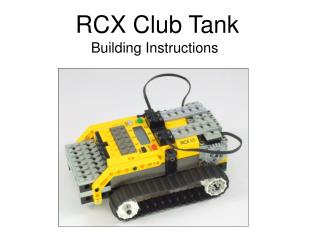
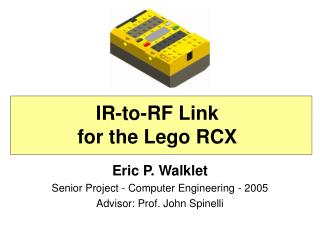
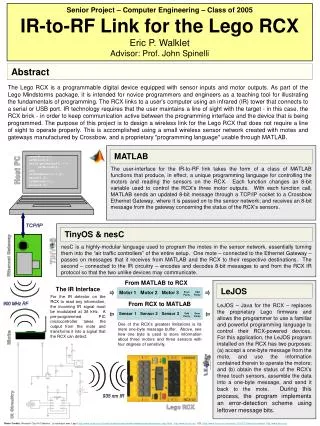
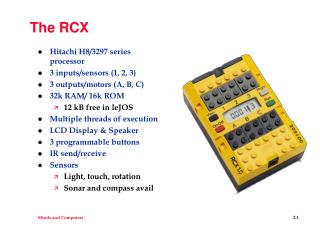
The RCX • Hitachi H8/3297 series processor • 3 inputs/sensors (1, 2, 3) • 3 outputs/motors (A, B, C) • 32k RAM/ 16k ROM • 12 kB free in leJOS • Multiple threads of execution • LCD Display & Speaker • 3 programmable buttons • IR send/receive • Sensors • Light, touch, rotation • Sonar and compass avail
LEGO Mindstorms NXT • Atmel 32-bit ARM processor • 4 inputs/sensors (1, 2, 3, 4) • 3 outputs/motors (A, B, C) • 256 KB Flash Memory • 64 KB RAM • USB 2.0 Communication • 4 programmable buttons • 100x64 b/w LCD Display • Sensors • Active: • Old light and rotation • Passive • Touch, sensors for NXT • Digital • Ultrasonic • Motors • 170 RPM • 360 RPM for old motors, why?
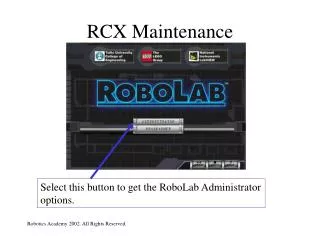
ROBOLAB • Pilot Mode • graphics based • limited capability • great for kids? • Inventor Mode • variables • conditionals • loops • multitasking • Investigator Mode • Charts & graphs • Analyze data
Working with RCX • RCX needs firmware on it in order to be programmable • Programming process • Design program • Implement on PC • Download onto RCX using IR tower • Code converted to bytecodes that RCX understands • Test • Debug and go back to step 1 or 2
Challenges • Make a car • Build a vehicle that will reliable go backwards and forwards • Getting there • Using Pilot 1 - program your car to move for 1 sec • Measure the distance it went • Predict distance for n sec (Pilot 2 may be useful) • Run and check model • Touch-activated • Using Pilot 4 make it so your robot starts when the touch sensor is pressed and stops when it hits something • Can you keep your robot from running off the table with a light sensor?