Download
1 / 5
50 likes | 164 Vues
This guide provides an overview of the RCX Maintenance options available in RoboLab. Learn how to download firmware essential for proper communication between the RoboLab software and RCX hardware, ensuring optimal performance. Discover the importance of testing IR communication and how to manage battery changes without needing to re-download firmware. Additionally, explore how to upload programs, modify auto shut-off settings, and monitor battery levels effectively. Follow these steps to maintain and enhance your RCX experience.

E N D
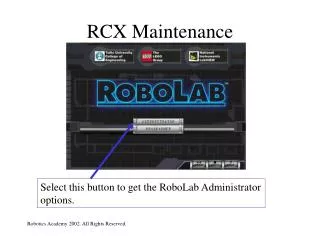
RCX Maintenance Select this button to get the RoboLab Administrator options.
RCX Maintenance This lets you download the firmware. This lets you test the IR communication to the RCX. REMEMBER! The RCX must be on to test.
RCX Maintenance This is the dialog box you see when you download the firmware. “Firmware” is what lets the RoboLab software talk to the RCX hardware. It exists between hardware and software, so it is “firm.” Make sure the firmware is completely downloaded, or the RCX will not work correctly.
RCX Maintenance HINT If you change the batteries in the RCX one at a time, then you WON’T have to redownload the firmware.
RCX Maintenance This is the RCX settings window. This lets you download programs to program slots 1 & 2. This lets you change the amount of time before the RCX shuts off automatically. This shows you the battery level of the RCX’s batteries.