Understanding Computer Components: A Guide for GCSE Computing
This resource provides a comprehensive overview of essential computer components for GCSE Computing, focusing on both theoretical concepts and practical applications. Students will explore the roles of the CPU, RAM, and GPU, alongside examples like the Raspberry Pi. The tutorial covers how a computer operates as a universal machine, detailing the interaction of hardware components, including memory types, input and output devices, and motherboard connections. Ideal for students seeking to enhance their understanding of computer architecture and functionality.

Understanding Computer Components: A Guide for GCSE Computing
E N D
Presentation Transcript
TeachingLondon Computing Programming for GCSETopic 2.1: Computer Components William Marsh School of Electronic Engineering and Computer Science Queen Mary University of London
Aims • Overview of computer components • Example: Raspberry Pi • Theme: the Universal Machine
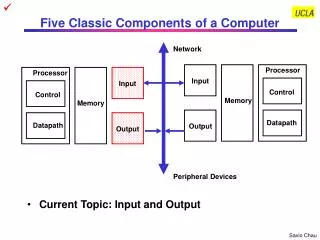
Computers • Principal components of a computer • Processor • Memory • Input and Output
Processor • The part that does the calculation
CPU • Instructions and data read from memory • Results written to memory Memory Instruction Register Registers Data Control Unit ALU Program
Graphics Processing Unit (GPU) • Another computer • Separate card same chip • Best for graphics calculations • Games • Frame rate
Memory • Lots of different types • Volatile versus permanent • Size and performance
Motherboard • Joins everything together • Standards • Wires inside
PCI sound card Sound blaster live! Interface Devices and Cards • ISA bus Ethernet card
Raspberry Pi Complete small computer Similar to a mobile phone
Memory, CPU, GPU SD Card (under here)
Ethernet controller GPIO USB sockets Power: 5V, 1 A Ethernet socket
Composite video DSI Display I/F Audio Camera connector HDMI socket
What’s a Computer? • ‘Do anything’ • With a program • ‘Do nothing’ • Without a program • Embedded computers • Control, toys Memory Instruction Register Registers Data Program is data Control Unit ALU Program
Computer Layers • Each layer solves a problem GUI Shell Application Processes Files Operating System Networks Binary data Binary code CPU RAM Disk, I/O Logic Gates
Summary – Computer • Stored program computer • Processor(s) – CPU and GPU • Memory • Data and program • Storage • Idea of a universal machine • Computer + program