Landscapes !
Explore the vast world of digital landscape photography, capturing both urban scenes and breathtaking natural vistas. Learn about essential techniques such as the Rule of Thirds and how to effectively divide scenes for panoramic captures. Whether you’re manipulating colors or shooting from unusual angles, you'll discover a spectrum of styles within this art form. This guide provides invaluable resources, tips for post-processing with tools like GIMP, and strategies for creating compelling photographic stories. Unlock your creativity and enhance your photography skills.

Landscapes !
E N D
Presentation Transcript
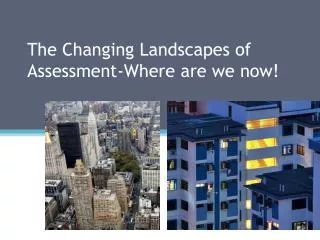
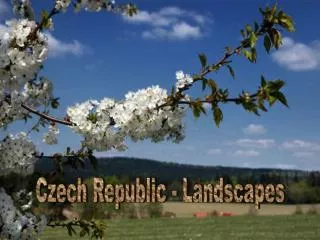
“Digital Landscape Photography is a broad and varied subject matter, with a huge spectrum of possible interest areas and approaches. You may have seen the work of Landscape Photographers solely interested in shooting 'urban' scenes, images of city life, construction or degradation. Or those who enjoy an alternative approach, experimenting with color manipulation, infrared or unusual angled shots. The most common area of Landscape Photography is the natural world.” --- http://www.your-digital-photography.com/digital-landscape-photography.html ---
Landscape are still required to follow the Rule of Thirds! For example….
Here the main point of interest in the landscape is centered.
Here the main point of interest in the landscape is not centered but the point of interest now follows the rule of thirds.
Web Sites to view http://www.dptutorial.com/landscape-photography-tips http://www.your-digital-photography.com/digital-landscape-photography.html http://www.essortment.com/hobbies/howtotakepano_secx.htm
Dividing up the scene When you set-up to take a panorama, visualize the scene as separate photographs in your mind. Remember what you see in the view finder, or preview screen. http://calmphotos.com/index.php/2008/01/23/panorama-landscape-photography-by-jim-crotty/
Here are three pictures taken with the technique for panoramic photographs that I explained to you. • The first steps that need to be taken are to adjust the levels and color values so that they are approximately equal amongst the three photographs. • The next step is to resize the images to the approximate size of the final picture.
Here are pictures taken with the technique for panoramic photographs that I explained to you. • The next step that needs to be taken is to identify the vertical lines in each photograph were the photographs match.
Create the working canvas
Fine tune the position of each layer based on the overlap information you gathered from the prior inspection of the pictures.
Using GIMP, clean-up the overlap between the separate image.
Using the canvas size menu option in GIMP crop the picture to its final size.