Download
1 / 7
70 likes | 170 Vues
Learn how to generate progress reports seamlessly in Aries grade book with these 8 easy steps. From logging in to selecting assignments, printing missing tasks, and obtaining parent signatures, this guide covers it all. Follow the straightforward instructions and streamline your progress reporting process today! 8 Relevant

E N D
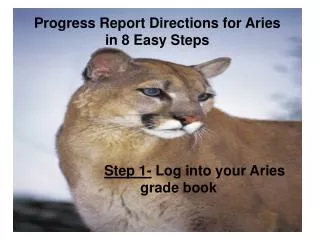
Progress Report Directions for Ariesin 8 Easy Steps Step 1- Log into your Aries grade book
Step 2- On left hand side under REPORTSclick ‘Assignments by Students’
Step 3- Click on multiple grade books, Step 4- Check off as needed: - print missing assignments, -page break on each student and -parent signature, etc.Step 5- Click next>> when finished
Step 6- Check off grade books you wish to include for the progress reports
(All students and all assignments should be highlighted, if that’s ok…)Step 7- Click <<Preview Report>>(If not: you can select specific students and/or assignments by holding down the ‘Ctrl’ button while clicking simultaneously.)
A sample of what you should see:(In order to make it more parent-friendly, I copy-pasted this page to a word document to delete/add as needed)
(Copied to a word document and edited as needed.)Hope this helps!