Introduction to iPads: Basic Training and Tips for Effective Use
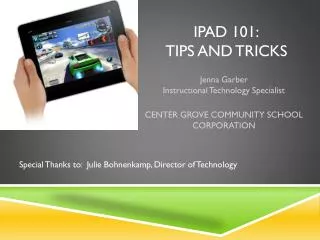
This session offers participants a fundamental introduction to iPads, covering essential features and functions. Key topics include turning the device on/off, adjusting volume, using the onscreen keyboard, and navigating with gestures. Participants will practice using Safari and explore crucial settings, while learning about syncing and general best practices. For those interested in more advanced training, opportunities will be provided to explore apps, create projects, and design effective lessons. Additional resources for further learning will also be shared.


Introduction to iPads: Basic Training and Tips for Effective Use
E N D
Presentation Transcript
Objective • Participants will have a basic introduction to the Title 1 iPads.
On/off • Hard turn off- avoid if possible • 2. Volume • Shortcut for Mute • 3. Rotation
4. Onscreen keyboard • Docking • Splitting
Activity: Open up Safari and practice using keyboard in address bar. • Type in fhsdcentral.sharpschool.net
5. Navigation and gestures • Left, right, top to bottom, zooming, pinching, expanding
6. Settings • Best not to change them • 7. Syncing • Do not sync to your computer!
If you would like more advanced training for the iPads, please schedule some time with me. We can: • Explore apps together • Create projects and lessons • Model/Team teach • Design best practices
Additional Resources Apple’s Userguidehttp://manuals.info.apple.com/en_US/iPad_User_Guide.pdf Apple’s Guided Tour Resources for iPad http://www.apple.com/ipad/videos/ 50 really useful iPad2 tips and trickshttp://tinyurl.com/6vucex5 Atomic Learning iPad trainings http://www.atomiclearning.com/k12/ipad_ios5