
Uploaded by
sabin
50 SLIDES
619 VUES
500LIKES
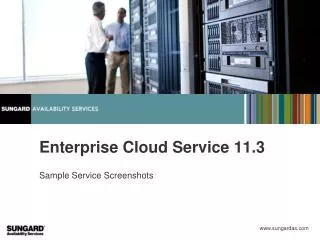
Essential Overview of ECS Customer Portal: VDC and VM Management Features
DESCRIPTION
Explore the dynamic capabilities of the ECS Customer Portal (UK) through our detailed sample screenshots. This demo showcases vital features such as Visual Data Center (VDC) details, VM performance information, and service management. Learn how to request changes to VMs and firewall configurations, while managing load balancer settings effectively. Additionally, discover how to upload data and files efficiently, utilize pre-defined templates for quick deployments, and monitor resource usage. Streamline your cloud services with this comprehensive guide.
Download
1 / 50
Télécharger la présentation 
Essential Overview of ECS Customer Portal: VDC and VM Management Features
An Image/Link below is provided (as is) to download presentation
Download Policy: Content on the Website is provided to you AS IS for your information and personal use and may not be sold / licensed / shared on other websites without getting consent from its author.
Content is provided to you AS IS for your information and personal use only.
Download presentation by click this link.
While downloading, if for some reason you are not able to download a presentation, the publisher may have deleted the file from their server.
During download, if you can't get a presentation, the file might be deleted by the publisher.
E N D
Presentation Transcript
Enterprise Cloud Service 11.3 Sample Service Screenshots
Sample Screenshots • “Demo” • Actual Production Site (UK)
Sample Screenshots • “Demo” • Actual Production Site (UK)







More Related

Audio
Live Player