Elevating Educator Connections: Harnessing Twitter for Professional Growth
Join Jay Greenlinger, Ed.D. and Kate Fisher in exploring the power of Twitter as a tool for educators. This workshop will cover how to connect globally with fellow educators, contribute valuable ideas and strategies, and converse meaningfully. Learn to refine your Twitter searches, manage your connections effectively using lists, and explore various useful hashtags and Twitter chats. Engage with polls and discussions to enhance your professional learning network. Discover practical tips to maximize your Twitter experience and foster a supportive educational community.

Elevating Educator Connections: Harnessing Twitter for Professional Growth
E N D
Presentation Transcript
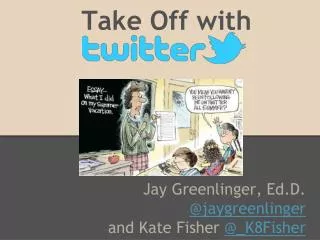
Take Off with Jay Greenlinger, Ed.D. @jaygreenlinger and Kate Fisher @_K8Fisher Pleasant Valley School District
Welcome • Introductions • Workshop Format “Some people talk in their sleep. Lecturers talk while other people sleep.” -Albert Camus • Poll Everywhere • Let’s try it out… • First name and district • Role
Twitter allows us to…. • CONNECT with educators globally • CONTRIBUTE ideas and strategies • CONVERSE meaningfully and professionally • REQUEST resources and opinions
CONNECT Finding people/topics/chats to connect with • Use operators to refine searches • since: limits searches to tweets after a given date #daily5 since:2013-10-01 • filter:links limits searches to tweets including links #daily5 filter:links • from: limits searches to tweets from a specific user from:@jaygreenlinger • Practice Time
CONNECT Manage your connections using lists to maximize your Twitter time. • Proven Practice - Create a “first” list • Lists can be organized for any interest: Math, 4th Grade, iPads, Knitting, Dogs, etc. Practice Time
CONNECT • Do you routinely participate in or follow a Twitter chat? • What is your favorite Twitter chat? (#mathchat, #kinderchat,etc.) • Chiming in on Chats (list of chats) Practice Time
CONTRIBUTE • Use hashtags to organize your thoughts and help others search for them. (#gcexpo13) • Spread good ideas with RTs and MTs • Share multimedia resources • Links are automatically shortened to 22 characters • Images and videos become part of Twitter’s public space Practice Time
CONVERSE • Keeping conversations organized by replying • Show your appreciation with favorites and RTs • Public Tweets vs. DMs • Protected accounts: Pros and Cons
MAKING REQUESTS • Surveys via Twitter • Quickly poll your PLN with a tweet • Crowdsourcing • Look for resources and opinions “Looking for indiv/sm grp extension activities, 4th/5th grade, espec. exponents, decimals, fractions #mathchat #4thchat #5thchat #gtchat Thx!”
Quick Poll • What is one tool you’ve seen today that you plan on using the next time you are on Twitter? • What questions might you have at this point? or....Is there something we haven't covered that you would like us to address?
Widgets and Apps • Social Media Apps can help you tame the Twitter river Hootsuite Practice Time