Introduction to GeoFEST: A Geophysical Finite Element Simulation Tool
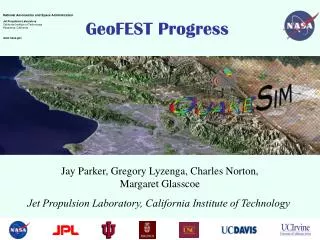
GeoFEST is a versatile Geophysical Finite Element Simulation Tool designed for solid mechanics modeling in geophysical applications. It can handle complex 2D and 3D irregular domains and simulate static elastic or dynamic viscoelastic problems driven by faults, boundary conditions, or distributed loads. GeoFEST operates across various platforms, including UNIX workstations, web portal environments, and parallel clusters or supercomputers. This tutorial offers step-by-step guidance on creating geometries, entering conditions, running simulations, and visualizing results.

Introduction to GeoFEST: A Geophysical Finite Element Simulation Tool
E N D
Presentation Transcript
GeoFEST tutorial • What is GeoFEST? • Geophysical Finite Element Simulation Tool • GeoFEST solves solid mechanics forward models with these characteristics: • 2-D or 3-D irregular domains • 1-D, 2-D or 3-D displacement fields • Static elastic or time-evolving viscoelastic problems • Driven by faults, boundary conditions or distributed loads • GeoFEST runs in a variety of computing environments: • UNIX workstations (including LINUX, Mac OS X, etc.) • Web portal environment • Parallel cluster/supercomputer environment
GeoFEST tutorial • GeoFEST Documentation and Learning Materials • GeoFEST User’s Guide • GeoFEST Introductory web page
GeoFEST tutorial • Steps for running GeoFEST: • Create grid geometry • Enter boundary conditions, faults • Enter material properties, time stepping • Run problem • Plot, visualize results
GeoFEST tutorial • Using the web portal environment to create and run a typical 3-dimensional model • Use web portal to draft domain layers and boundaries • Using portal, add fault(s) to domain • Generate grid points and elements with desired refinement • Provide supplemental information on boundary conditions, material properties, time stepping, etc. • Submit run to GeoFEST for execution • Examine and visualize results
GeoFEST tutorial • Select the GeoFEST code in portal Select code Select host
GeoFEST tutorial • Create the desired geometry Enter dimensions and properties Create layer(s) Create faults(s) Create initial mesh Plot results
GeoFEST tutorial • Check the generated geometry Pre-mesh view of layers and faults Zoom and rotate view
GeoFEST tutorial • After performing initial meshing of domain Status of meshing Look at resulting mesh
GeoFEST tutorial • Viewing initial meshing of domain Faults and volumes coarsely resolved Rotate views
GeoFEST tutorial • Requesting refined meshing of domain Status of refinement progress Interface controls
GeoFEST tutorial • Viewing refined meshing of domain Better resolved
GeoFEST tutorial • Running prepared GeoFEST model Enter additional run parameters and boundary conditions Run GeoFEST
GeoFEST tutorial • Monitoring status of GeoFEST job execution Process running GeoFEST Job Monitor portal tab
GeoFEST tutorial • Accessing completed GeoFEST results files ASCII input file ASCII output file
GeoFEST tutorial • Plotting, visualization of results via web portal
Questions? Greg Lyzenga (Gregory.A.Lyzenga@jpl.nasa.gov) Jay Parker (Jay.W.Parker@jpl.nasa.gov) Marlon Pierce (mpierce@cs.indiana.edu) Supported by the Computational Technologies Program of NASA's Earth Science Technology Office