Understanding Relations and Functions: Notes and Journal Entries Guide
This guide provides essential instructions for taking notes during the PowerPoint presentation on Relations and Functions. Students are advised to actively engage by summarizing key concepts in their math journals, defining vocabulary terms including relation, domain, range, and function. The presentation emphasizes visual representations such as tables of values and graphs. Journal entries promote reflection on existing knowledge and new insights gained from the presentation. Ensure you prepare effectively for upcoming homework and discussions.


Understanding Relations and Functions: Notes and Journal Entries Guide
E N D
Presentation Transcript
Unit 3: Writing & Graphing Functions Topic: Relations & Functions PowerPoint
Instructions for taking PPT notes • Play the PowerPoint presentation (either download it to your laptop or play it directly from the website). • Take notes in the “Notes” section of your binder as you view the presentation (use the note taking style with which you are most comfortable). Have your textbook open to the related sections & use those sections to supplement the information in the presentation. • Do NOT simply print the PowerPoint & bring it to class; this would have a negative affect on your journal grade.
Journal Entries • Any time the words “JOURNAL ENTRY” appear in the presentation, you should do the following: • In your math journal, write the title & date at the beginning of your entry. • Respond to the prompt.
Vocabulary • Define the following terms that you should remember from Algebra1. We will discuss your definitions in class. • Relation • Domain • Range • Function
Representing Relations • Table of Values • Ex. • Equation • Ex. h(t) = -9.8t2 + 125
Representing Relations • Set of ordered pairs • Ex. {(1, 1), (2, 2), (3, 3), (4, 4)} • Mapping Diagram • Ex. 3 5 7 9 1 0 9 33
Representing Relations • Graph • Ex.
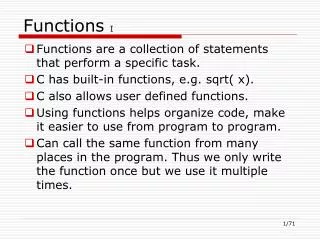
Function Notation • y = mx + b: simple, basic, unsophisticated Algebra 1 method of representing a linear function • f(x) = mx + b: sophisticated, mature, mathematical Algebra 2 method of representing a linear function • What does f(x) mean? • “Function of x”; y is a function of x, we simply rename the function something other than y (we default to f, but as with variables you can use any letter). • Why? • If you can’t answer this question for yourself, ask in class!
Function Notation • Ex. f(x) = 4x + 8 • Function name: f • Input into function = x • Output from function = f(x) • Ex. x = -6 • Input into function = -6 • Output from function = f(-6)
JOURNAL ENTRY • TITLE: Checking My Understanding: Relations & Functions • Review your notes from this presentation & create and complete the following subheadings: • “Things I already knew:” Identify any information with which you were already familiar. • “New things I learned:” Identify any new information that you now understand. • “Questions I still have:” What do you still want to know or do not fully understand?
Homework: Handout will be given in classDue 8/29 (A-Day) or 8/30 (B-Day)