Lync Mobile Clients: Stay Connected and Communicate on the Go
Discover the capabilities of Lync Mobile Clients, enabling seamless communication and conferencing from virtually anywhere. Control your availability, use a single identity across devices, and join audio conferences with just one touch. With features such as offline contact caching, presence management, and easy management of multiple conversations, Lync Mobile enhances productivity while protecting personal time. This deployment planning guide facilitates integration with Lync Server and ensures optimized functionality across various platforms.

Lync Mobile Clients: Stay Connected and Communicate on the Go
E N D
Presentation Transcript
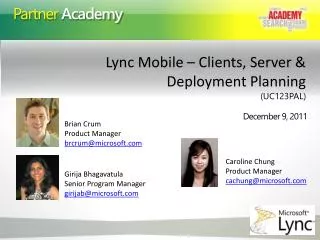
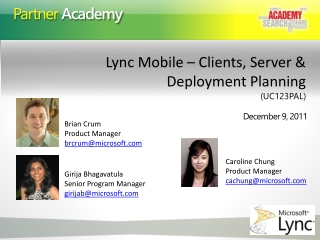
Lync Mobile – Clients, Server & Deployment Planning (UC123PAL) December 9, 2011 Brian Crum Product Manager brcrum@microsoft.com Caroline Chung Product Manager cachung@microsoft.com Girija Bhagavatula Senior Program Manager girijab@microsoft.com
Lync Works AcrossPlatforms andDevices Desk Phones Mobile Browser PC Mac
Lync mobile clients enable you to stay connected, communicate and conference on-the-go • Stay connected, while controlling your availability • Communicate with a single, consistent identity • Join audio conferences with a single touch • Familiar and intuitive design iOS
Key Mobile Scenarios and Features Stay Connected, Communicate and Conference on the go
I can stay connected to my networkLync mobile clients allow you to communication in new ways, from virtually anywhere • Signature Scenarios • I can quickly & easily see the status of the contacts I care about most • I can find and contact colleagues based on relationships • I can remain connected while protecting “off-work” time • Supporting Features • Lync 2010 and Office 365 support • View and expand contact groups • View contacts presence and personal note • Search the corporate address book • Offline contact caching
I control my availability Lync mobile clients allow me control how and when people contact me • Signature Scenarios • I have control over how others see me • I am confident Lync Mobile will protect my personal life • I can use a single device for both work and personal communication • Supporting Features • Edit and publish presence, and note • Control push notification settings • Update call forwarding and simultaneous ring settings • Virtual work line – Single Number Reach
I can communicate from virtually anywhereLync mobile clients allow me communicate quickly and easily • Signature Scenarios • I can easily see missed communications at a glance • I can start multiple modes of communication with a single touch • I can manage multiple conversations at once • Supporting Features • Join conferences with a single touch • IM, multi-party IM • One touch calling (Call via Work) • Device notification integration • Conversation window management
IM/P and Contact Management • Contacts: Photo, Contact list, Contact card, Enterprise search • Presence: My status, Contact presence • Instant Messaging: IM, Multi-party IM, send location
Audio Conferencing • Single touch to join a scheduled Lync online meeting • Lync callback to the configured phone number with Lync Mobile • Windows Phone 7.5 “Mango” & Nokia Symbian utilize Exchange/Outlook so that the join conference feature is integrated in the calendar • Meeting pane is used on iPhone/iPad to provide the join button • Android has only URL based join launcher • On iPad, callback is made to another device (no 3G voice channel on an iPad)
Outside Voice • Lync is my single phone identity • One phone number on my business card, no need to broadcast your mobile number to your colleagues • People can reach me virtually anywhere • Lync can ring my PC and mobile so that I never miss a call
Lync Server 2010 Mobility Service • Optimized web interface • Optimizes battery/bandwidth usage between client & server • Improves start up time for the client • Caches state during network glitches for client re-sync • Delivers push notifications to Lync mobile apps on iPhone/ iPad / Windows Phone • Deploys as part of the consolidated topology as a web component on FE servers
Lync Server 2010 Mobility Service - Architecture RTP Media SIP Https (XML) Push notification
Deployment • On-prem • Install CU4 on all roles • Upgrade Directors and FEs • Update Lync Certificates to include LyncDiscover.Domain1. • Configure Reverse Proxy rules to Mobility web services • Configure DNS CName to allow Lync Mobile clients to discover Mobility service web end-point • Enable Mobility, Outside voice policy for users • Enable push-notification for on-prem deployments • Admin controls for supported mobile client/ OS/ Device version • Online • Vanity domains require DNS CName configuration • No other deployment steps needed • Support for Outside Voice will be available in a later update • 1 Deployments with multiple sip domains could connect over http and use secure connection once redirected
Push Notifications Clearing House • Online Service to light up background application to deliver messages • Serve both On-Prem and Online customers • Minimal impact to battery life • Scenarios • New IM invite/messages • Message Waiting Indicator • Missed Call notification • Providers • Apple Push Notifications (APNs) • Microsoft Push Notifications (MPNs) • Administration • Configure Edge Server to setup hosting provider federation with push.lync.com • Enable/Disable for Apple and/or Microsoft • Control of Push Notifications done via policies • On-prem: turned OFF by default - Online: turned ON by default • User can enable/disable Push notification from Lync mobile client
Mobility Capacity Planning Estimate mobility usage Measure current capacity metrics Capacity Planning Monitor KHIs • Deployed as part of consolidated topology as web component on Front Ends • No additional server roles required • More info available in mobility docs on TechNet and Download center
Monitoring • Mobility Performance Counters • Push Notifications counters • Voice calls e.g. inbound/ outbound failures • Requests succeeded/ failed • Session related counters e.g. concurrent active sessions, active poll count etc. • Other Performance counters • Available Memory • Request Queue Limit • Maximum Concurrent Threads/ Requests • Alerts • Push notification connectivity failure
Calls to Action Understand the clients, server capacity planning and deployment Talk to your customers Leverage Thru Partner Materials Leverage Thru Partner Materials
Resources • Thru-partner Marketing Materials will be made available during the week of December 12th – stay tuned! • TechNet Documentation • Planning for Mobility: http://go.microsoft.com/fwlink/?LinkId=235303 • Deploying Mobility: http://go.microsoft.com/fwlink/?LinkId=235304 • Monitoring Mobility for Performance: http://go.microsoft.com/fwlink/?LinkId=235305 • Microsoft Download Center • Mobility Guide: http://go.microsoft.com/fwlink/?LinkId=235301 • Release Notes: http://go.microsoft.com/fwlink/?LinkId=235302
Q & A Use Q&A to submit your questions and comments.