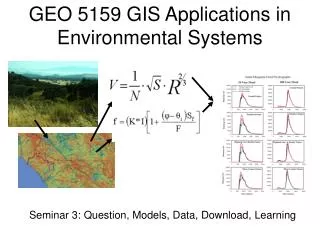
Introduction to GIS Applications in Oceanography and Geography
420 likes | 542 Vues
Join our GEO 265 Practicum class on Wednesdays and Fridays to explore the exciting intersection of Geographic Information Systems (GIS) and oceanographic data analysis. Students will engage in hands-on exercises and projects, focusing on themes like seafloor-spreading and volcanic processes. Led by Dr. Dawn Wright, the course emphasizes critical thinking and practical application. Prepare for a comprehensive learning environment that includes mapping techniques, spatial analysis, and data modeling. Get ready to enhance your GIS skills while addressing significant geographic questions.


Introduction to GIS Applications in Oceanography and Geography
E N D
Presentation Transcript
GEO 265GIS Practicuum Wednesday / Friday 1:00 p.m. - 2:50 p.m. Wilkinson Hall 210 (“Digital Earth”) 3 credits
Teaching Assistant Janine Rice ricejan@geo.oregonstate.edu Tues, 2:00-3:00 Wed, 3:00-4:00 Wilkinson 210
Dr. Dawn Wright dawn@dusk.geo.orst.edu 114 Wilkinson Hall 737-1229 Office Hours: Wednesday / Thursday 3:00 - 4:00 p.m. or by appointment
Who Am I? Professor of Geography & Oceanography • B.S. in Geology • Wheaton College in Illinois • M.S. in Oceanography • Texas A&M • Ph.D. in Physical Geography & Marine Geology • UC-Santa Barbara
“ Deepsea Dawn ” (cont.) Research Interests • Application and analytical issues in GIS for oceanographic data • Seafloor-spreading centers • volcanic, hydrothermal, & tectonic processes • analysis and interpretation of camera, submersible, & bathymetric data
Who Are YOU?? Your CLASS level Your Major Your Email address (or phone # if you don’t have email) Experience with Computers (Windows XP?) Your Expectations for this class syllabus
Class Format • Grade based on exercises, 1 major project, 1 exam, and attendance Hands-on Exercises & Projects Some Theory
Challenges / Survival Tips • Prerequisites for this course? • Please READ your syllabus! • “Think for yourself” factor • Exercises progressing to the project…. • Be aware of potential problems... • Please be patient... • Keeping everyone at same pace • Can’t always see who is first • Grads: remember this is GEO 265 • Foresters: FE 357 for Forest Engineers
Textbooks Required Books: GIS Concepts & ArcView Methods GIS Concepts & ArcGIS Methods Optional Books: Getting to Know ArcView Getting to Know ArcGIS
Computer Essentials • Zip disk or CD-RW for backups • 200 Mb storage on server, NOT on C: • Bring headphones for private listening • Login and password: • Use your ONID login/password to avoid confusion • Temporary login • login: geo265guest, password: geo265 • Login and map to network drive • //sci-geo/geo265 • Add network printer
Important Web Sites Course web site: dusk.geo.orst.edu/arc GIS@OSU: www.geo.orst.edu/ucgis General GIS info.: www.gis.com
Some Basic GIS Concepts... • Mapping is a key feature of a GIS but it is NOT the whole story. • A GIS is NOT simply a computer system for MAKING maps • maps at different scales, projections, colors • not simply a computer system for STORING maps or images. • In fact, it stores the DATA from which these are created.
An Analysis Tool... • for every piece of data it specifies: • what it is • where it is • how it relates to other pieces of data • things in common • see spatial relationships or create NEW relationships
Major Questions for a GIS: • what exists at a certain location? • where are certain conditions satisfied? • what has changed in a place over time? • what spatial patterns exist? • what if this condition occurred at this place? (modelling, hypothesis testing)
For example... Toxic Substance Locations: District 24 District 16 14 George Boulevard School Locations: 124 Elm Street 35 White Road
School Locations Toxic Substances
Major Questions for YOU... • what ARE my questions? • what data do I need? • how can I combine my data to answer my questions?
The Process of GIS • Think about a place or a topic ... • Ask a question about it ... • Use data to make a map ... • Explore the patterns that appear ... • Enhance the data or modify the analysis ... • Ask a new question … • Repeat ...
The World in a Box • Select one example of a GIS application from the film • Think about the following questions: • What is the problem or conflict? • How was GIS used to help solve the problem or present solutions? • What are some of the constraints or precautions that one must be aware of in using these technologies?
Geographically-referenced data (?) • Latitude and longitude • Street address • x and y coordinates • Range and township • Location shown on a map
The Data Model • A conceptual description (mental model) of how data are organized for use by the GIS • Real world ---> Computer objects • GISs have traditionally used either “raster” or “vector” data models
Flat File Vector-based line 4753456 623412 4753436 623424 4753462 623478 4753432 623482 4753405 623429 4753401 623508 4753462 623555 4753398 623634 Raster-based line Flat File 0000000000000000 0001100000100000 1010100001010000 1100100001010000 0000100010001000 0000100010000100 0001000100000010 0010000100000001 0111001000000001 0000111000000000 0000000000000000 Rasters and Vectors(Field and Objects)
Grid extent Grid cell s w o R Resolution Columns Figure 3.1 Generic structure for a grid. (Clarke, 2000) A Raster Data Model Uses a Grid.
Rasters are Faster... • maps directly onto computer memory structure (array). • natural for scanned or remotely sensed data. • continuous surfaces. • easy to understand, read, write, draw • Spatial analytical operations are faster. • compression is easier
The Vector (Object) Model • Vector data model evolved into the arc/node variation in the 1960s. • Points in sequence build lines. • Lines have a direction - nodes or ordering of the points. • Lines in sequence build polygons.
Vector Feature Types Feature Type Single Part Multi-Part Point Line Area Annotation H I G 10 H W Y A
Vectors and Topology • Vectors without topology are spaghetti structures. • Points, lines, and areas • stored in their own files, with links between them. • stored w/ topology (i.e. the connecting arcs and left and right polygons). • Relationships are computed and stored
Topology Graphic 2, -7, 5, 6
“ Rasters are Faster, but Vectors are Correcter... ” • Vectors can represent point, line, and area features very accurately. • Far more efficient than grids. • Work well with pen and light-plotting devices and tablet digitizers. • Not as good at continuous coverages or plotting that fill areas.
Attribute data • Attribute data are stored logically in flat files. • i.e., matrix of numbers and values stored in rows and columns, like a spreadsheet.
First Reading Assignment “Exercise 0” Chapters 1-2, 4, 10 of GIS Concepts and ArcView Methods