
Uploaded by
silvio
6 SLIDES
264 VUES
60LIKES
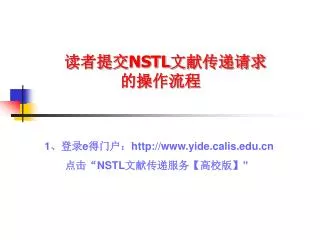
读者提交 NSTL 文献传递请求 的操作流程
DESCRIPTION
读者提交 NSTL 文献传递请求 的操作流程. 1 、登录 e 得门户: http://www.yide.calis.edu.cn 点击“ NSTL 文献传递服务 【 高校版 】”. 2. 检索 NSTL 文献资源. 3. 如果检索到你需要的文献,请向图书馆信息服务部提交文献传递申请。. 咨询请联系: 陈良 王爱丽 耿有三 电 话: 0396 — 2879203.
Download
1 / 6
Télécharger la présentation 
读者提交 NSTL 文献传递请求 的操作流程
An Image/Link below is provided (as is) to download presentation
Download Policy: Content on the Website is provided to you AS IS for your information and personal use and may not be sold / licensed / shared on other websites without getting consent from its author.
Content is provided to you AS IS for your information and personal use only.
Download presentation by click this link.
While downloading, if for some reason you are not able to download a presentation, the publisher may have deleted the file from their server.
During download, if you can't get a presentation, the file might be deleted by the publisher.
E N D
Presentation Transcript
读者提交NSTL文献传递请求 的操作流程 1、登录e得门户:http://www.yide.calis.edu.cn 点击“NSTL文献传递服务【高校版】”
3. 如果检索到你需要的文献,请向图书馆信息服务部提交文献传递申请。
咨询请联系: 陈良 王爱丽 耿有三 • 电 话: 0396—2879203




More Related