How to Access eLibrary
Accessing the Cardinal Newman eLibrary is simple. Visit cardinalnewman.org and navigate to the top gold information bar. Select "Academics," then scroll down to "Library." Click on the link to the eLibrary, and log in with your username and password. Use the Advanced Search feature to find scholarly (peer-reviewed) journals by entering your query, such as “Children with special needs.” Review the titles, select relevant articles, and email up to five pertinent scholarly articles to yourself and your teacher.

How to Access eLibrary
E N D
Presentation Transcript
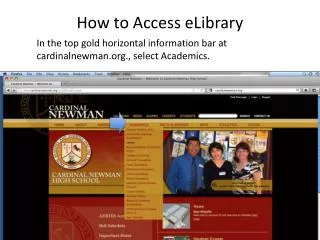
How to Access eLibrary In the top gold horizontal information bar at cardinalnewman.org., select Academics.
Scroll Down to elibrary Select http://elibrary.bigchalk.comInput Username and Password http://www.cardinalnewman.org
The elibrary Database http://elibrary.bigchalk.com/elibweb/elib/do/search
Searching for Scholarly Journals http://www.morguefile.com/archive/display/48456
Select Advanced Search Located to the Left Under Basic Search http://elibrary.bigchalk.com
Search For Scholarly (Peer Reviewed) Journals • According to the University of Texas Library, “Peer Review is a process that journals use to ensure the articles they publish represent the best scholarship currently available. When an article is submitted to a peer reviewed journal, the editors send it out to other scholars in the same field (the author’s peers) to get their opinion on the quality of the scholarship, its relevance to the field, its appropriateness for the journal, etc.” http://lib.utexas.edu/lsl/help/modules/peer.html
Scholarly Journals – Valid Information • “Publications that don’t use peer review (Time, Cosmo, Salon) just rely on the judgment of the editors whether an article is up to snuff or not. That’s why you can’t count on them for solid scientific scholarship.” http://lib.utexas.edu/lsl/help/modules/peer.html
Directions Select Advanced Search Deselect Newspaper Articles Older Than 90 Days. Select Search within scholarly Journals only.
1. Type in your query, “Children with special needs”. 2. Select Advanced Search. http://elibrary.bigchalk.com
Read Through Titles and Select Scholarly Journal Articles http://elibrary.bigchalk.com
Note MLA Format at Bottom of Page http://elibrary.bigchalk.com
Email Five Pertinent Scholarly Articles to Yourself and Your Teacher http://elibrary.bigchalk.com