
SlideServe
Menu
Préférences
© SlideServe · v2026

Logarithms - Change of Base

tale avatar
6 diapositives · 893 Views · May 21, 2012

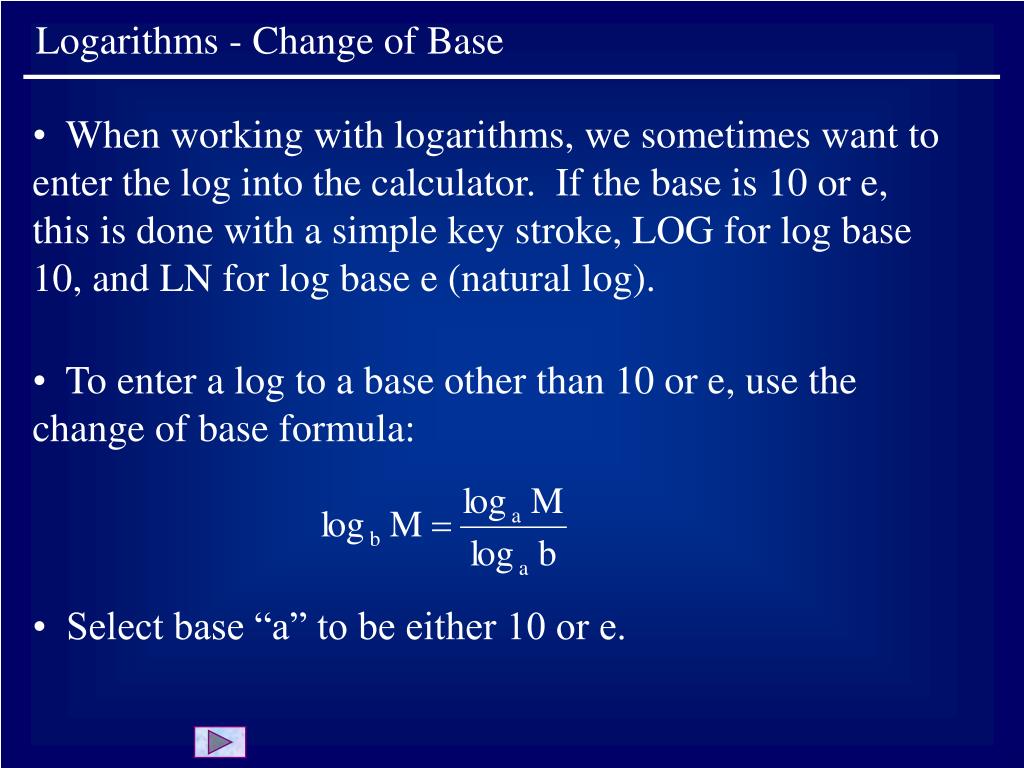
Logarithms - Change of Base. When working with logarithms, we sometimes want to enter the log into the calculator. If the base is 10 or e, this is done with a simple key stroke, LOG for log base 10, and LN for log base e (natural log) .
Logarithms - Change of Base - slide 1
01 / 6Logarithms - Change of Base
1 / 17

Télécharger la présentation

Logarithms - Change of Base
Une image / un lien ci-dessous est fourni (tel quel) pour télécharger la présentation

Politique de téléchargement : le contenu du site vous est fourni TEL QUEL pour votre information et votre usage personnel ; il ne peut être vendu, concédé sous licence ni partagé sur d’autres sites sans l’accord de son auteur.Le contenu vous est fourni TEL QUEL, pour votre information et votre usage personnel uniquement. Téléchargez la présentation en cliquant sur ce lien. Lors du téléchargement, si vous ne parvenez pas à télécharger une présentation, l’éditeur a peut-être supprimé le fichier de son serveur.Pendant le téléchargement, si vous ne parvenez pas à obtenir une présentation, le fichier a peut-être été supprimé par l’éditeur.

F I N

Plus de contenu associé

Transcription de la présentation
  1. Logarithms - Change of Base • When working with logarithms, we sometimes want to enter the log into the calculator. If the base is 10 or e, this is done with a simple key stroke, LOG for log base 10, and LN for log base e (natural log). • To enter a log to a base other than 10 or e, use the change of base formula: • Select base “a” to be either 10 or e.

  2. Logarithms - Change of Base • Example 1: Enter log512 into the calculator using base 10. Press ENTER to evaluate. Slide 2

  3. Logarithms - Change of Base • Example 2: Enter log512 into the calculator using base e. Press ENTER to evaluate. • Note that the new base is arbitrary. The same answer resulted using base 10 and base e. Slide 3

  4. Sketch the graph of Logarithms - Change of Base • Example 3: Type the function into Y1 Select the ZOOM|ZStandard window. Slide 4

  5. Logarithms - Change of Base For a better window, press WINDOW and make the following changes: Press GRAPH to obtain ... Note that there is a vertical asymptote at x = 2 Slide 5

  6. Return to Table of Contents