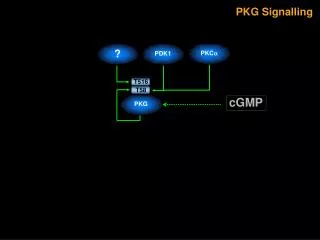
Comprehensive Guide to Producing a News Package (PKG) with Interviews and Cover Video
110 likes | 217 Vues
This detailed guide outlines the essential steps to produce a professional news package (PKG). It covers the entire process, from planning and conducting interviews to capturing cover video and editing the final product. Key components include audio from interviews, scripted voice tracks, and natural sounds. In the shoot phase, we focus on capturing compelling visuals and sound bites. The post-shoot phase emphasizes organizing footage, writing the story, and scripting the voice track. This process ensures a cohesive and engaging final package suitable for broadcast.


Comprehensive Guide to Producing a News Package (PKG) with Interviews and Cover Video
E N D
Presentation Transcript
PKGROLLS A - Roll B - Roll
A - Roll 1) Audio from Interviews (Sound Bites) 2) Audio from Voice Track (Written Script)
B - Roll 1) Video shot for the story (Cover Video)
3 PKG COMPONENTS 1) Sound Bites 2) Voice Track 3) Cover Video
POST SHOOT 1) Log Tapes 2) Write Story (Script) 3) Track the Script
EDIT V1 – Video A1 – Interviews and Voice Track A2 – Nats (Natural Sound) from Cover Video
PRODUCING A PKG PLAN SHOOT LOG WRITE EDIT