Download
1 / 6
Web Mission Information Reporting System O-FLIGHTS
60 likes | 164 Vues
Access and enter O-FLIGHTS data by following the step-by-step guide for Texas Wing Civil Air Patrol missions. Learn how to add and edit air sorties seamlessly. Enhance your operational effectiveness with this detailed walkthrough.

Télécharger la présentation 
Web Mission Information Reporting System O-FLIGHTS
An Image/Link below is provided (as is) to download presentation
Download Policy: Content on the Website is provided to you AS IS for your information and personal use and may not be sold / licensed / shared on other websites without getting consent from its author.
Content is provided to you AS IS for your information and personal use only.
Download presentation by click this link.
While downloading, if for some reason you are not able to download a presentation, the publisher may have deleted the file from their server.
During download, if you can't get a presentation, the file might be deleted by the publisher.
E N D
Presentation Transcript
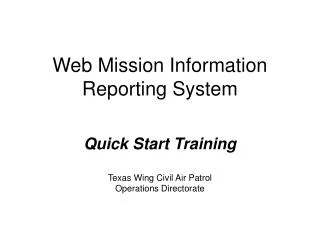
Web Mission Information Reporting SystemO-FLIGHTS Quick Start Training Texas Wing Civil Air Patrol Operations Directorate
To enter an o-flight, look for the monthly “A” mission block. Click on the mission number.
Click on the edit/view air sortie button. Click on the ADD button at the bottom of the next screen.
Continue to fill in the blanks. Click ADD SORTIE when complete. You may go back into the spreadsheet and edit as necessary.






More Related