Distributed Computing
Distributed computing utilizes multiple computers to work collaboratively on larger projects, enhancing computational power. Each computer receives work units, often with redundancy for accuracy. To participate, install a distributed computing client, allocate CPU/RAM space, and subscribe to a project. This system boasts substantial resources, demonstrated by record achievements like 1256 TFLOPS from 261,856 CPUs. While it offers advantages like scalability and fault tolerance, challenges include the need for task segmentation and potential overheating. Engage with projects like Folding@home, SETI@home, and more to contribute your idle computing power.

Distributed Computing
E N D
Presentation Transcript
The art of Distributed Computing
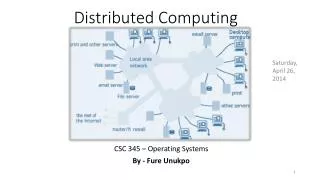
What is it? • Multiple computers can help on larger project • Each computer gets work units • Usually, 2 or 3 computers get same work unit for redundancy. • Results reported back
How does it work? • Install distributed computing client on your PC • Configure how much CPU/RAM/HD space it is allowed • Subscribe to at least one project • Automatically download work units and report back when finished
What are the advantages? • Enormous resources available • DC Record 1256 TFLOPS from 261856 CPUs • BlueGene/L Record 478.2 (596.4) TFLOPS • Fault-tolerant • Open • Scalable
What are the drawbacks? For the developer • Program must be segmented • A few nodes must be reachable For the participant • Computer may be prone to overheating • Minimal CPU/RAM/HD usage
What projects are available? • Folding@home • Protein Folding • LHC@home • Calibrating the LHC • Search for the Higgs-Boson • IBM World Community Grid • FightAIDS@Home • Help Conquer Cancer • SETI@home • Search for signals from ET
Can I help? • Download BOINC • http://boinc.berkeley.edu/ • Join one of the many communities • Pick an interesting project and donate unused CPU cycles