Enhancing Business Intelligence with External Data Integration and InterAction Utilization
This guide outlines the significance of importing external data to boost the effectiveness of InterAction within your organization. By leveraging valuable information like company size and annual revenue, firms can target key businesses more effectively. Utilizing SIC codes enables thorough sector analyses, aiding business development efforts. Additionally, it provides insights into companies that are declining or out of business, which is crucial for recovery teams. Learn how to export data to CSV, automate processes, and link databases for streamlined operations.

Enhancing Business Intelligence with External Data Integration and InterAction Utilization
E N D
Presentation Transcript
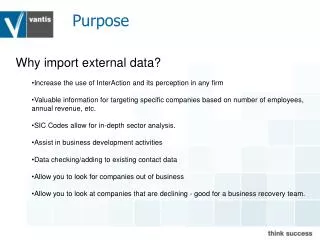
Purpose • Why import external data? • Increase the use of InterAction and its perception in any firm • Valuable information for targeting specific companies based on number of employees, annual revenue, etc. • SIC Codes allow for in-depth sector analysis. • Assist in business development activities • Data checking/adding to existing contact data • Allow you to look for companies out of business • Allow you to look at companies that are declining -good for a business recovery team.
Exporting the Data Create a report that will export the companies and their Contact IDs into a CSV file.
Linking the Databases Create a working list. Using Advanced Import, import the contact IDs of all contacts with a match. Import the Internal ID against these contacts. Also import any other fields you may want to add against the contact e.g. Registered Number
Linking the Databases The additional information field is completed with the Internal ID. The systems are now LINKED.
Automating the Process With some additional SQL code, the data delivery could be automated and the data could be imported into the tables in Application Collaboration automatically. You then schedule the AC harvest and the data finds its way into InterAction. Application Collaboration