
Uploaded by
theo
9 SLIDES
228 VUES
100LIKES
Circular Menus - Interactive PowerPoint Design
DESCRIPTION
Learn how to create engaging circular menus in PowerPoint Show mode. Includes examples and step-by-step guides. Perfect for interactive presentations.
Download
1 / 9
Télécharger la présentation 
Circular Menus - Interactive PowerPoint Design
An Image/Link below is provided (as is) to download presentation
Download Policy: Content on the Website is provided to you AS IS for your information and personal use and may not be sold / licensed / shared on other websites without getting consent from its author.
Content is provided to you AS IS for your information and personal use only.
Download presentation by click this link.
While downloading, if for some reason you are not able to download a presentation, the publisher may have deleted the file from their server.
During download, if you can't get a presentation, the file might be deleted by the publisher.
E N D
Presentation Transcript
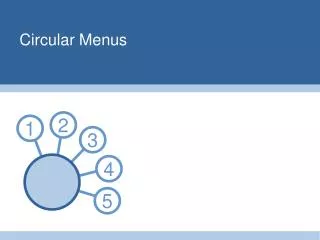
2 1 3 4 5 Circular Menus
Main Menu 2 Click on a number to go to that section (Only works in PowerPoint Show mode) 1 3 Menu 4 5
2 1 3 Section 1 4 5
2 1 3 Section 2 4 5
2 1 3 Section 3 4 5
2 1 3 Section 4 4 5
2 1 3 Section 5 4 5
Example in use - Mood indicator 4 Good 5 Excellent 3 Fair 2 Poor 1 Bad
Example Bullet Point Slide • These templates are for personal use only and must not be distributed, sold or displayed on the web by anyone other than Presentation Helper. • Bullet point • Sub Bullet


More Related

Audio
Live Player