
Simplifying Citation Creation Using EasyBib: A Step-by-Step Guide
This guide provides a straightforward approach to creating citations using EasyBib. It details the process of selecting sources, such as websites, and how to utilize the tool's auto-fill feature for accurate bibliographic entries. Learn how to annotate your sources effectively by answering key questions about their relevance and reliability. The importance of distinguishing between primary and secondary sources is emphasized, along with tips for citation organization and printing your bibliography. EasyBib streamlines the citation process for academic projects.

Simplifying Citation Creation Using EasyBib: A Step-by-Step Guide
E N D
Presentation Transcript
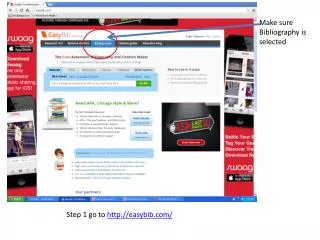
Make sure Bibliography is selected Step 1 go to http://easybib.com/
Step 2 • Select your source
If your source is a website Type in the URL
Easy.bib will auto fill the information they have. Check the red boxes to add any information you might have When complete with the information you have select Add Annotation
Answer the following questions • What is the source? • answer in complete sentences with details. • 2. How did you use the source in your project? • answer in complete sentences with details • 3. How can you trust this source? • answer in complete sentences with details • 4. Explain how you primary sources are primary? • example Diary, Letter, Document, speeches, Photos etc The select Create Citation
Chose a new Source Type for your next source You will need to have One list of secondary sources And another for primary sources When you have completed your sources select Print as a word Doc OR You can create an account and save it for later Easy bib will automatically alphabetize
Helpful Hint Type ISBN number for books magazines and Journals to auto cite