
SlideServe
Menu
Préférences
© SlideServe · v2026

Interactive Java UI Design Guide

vickiew avatar
18 diapositives · 200 Views · Dec 20, 2019

Learn to create sensory representations for simple applications using Java Swing components. Guide covers creating views, menus, labels, buttons, and event-driven programming. Implement UI elements and actions effectively.
Interactive Java UI Design Guide - slide 1
1 / 18

Télécharger la présentation

Interactive Java UI Design Guide
Une image / un lien ci-dessous est fourni (tel quel) pour télécharger la présentation

Politique de téléchargement : le contenu du site vous est fourni TEL QUEL pour votre information et votre usage personnel ; il ne peut être vendu, concédé sous licence ni partagé sur d’autres sites sans l’accord de son auteur.Le contenu vous est fourni TEL QUEL, pour votre information et votre usage personnel uniquement. Téléchargez la présentation en cliquant sur ce lien. Lors du téléchargement, si vous ne parvenez pas à télécharger une présentation, l’éditeur a peut-être supprimé le fichier de son serveur.Pendant le téléchargement, si vous ne parvenez pas à obtenir une présentation, le fichier a peut-être été supprimé par l’éditeur.

F I N

Plus de contenu associé

Transcription de la présentation
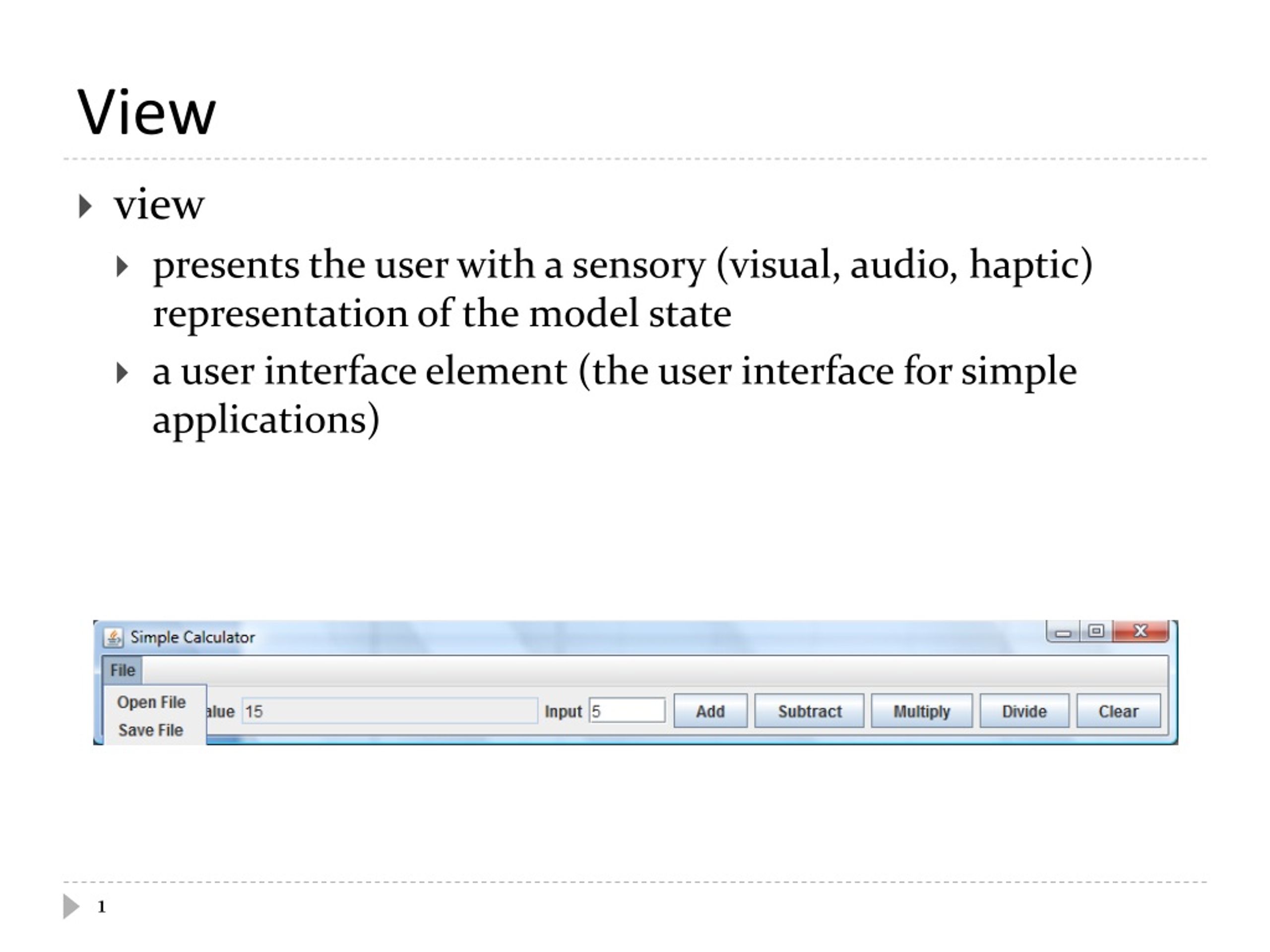
  1. View • view • presents the user with a sensory (visual, audio, haptic) representation of the model state • a user interface element (the user interface for simple applications)

  2. Simple Applications • simple applications often consist of just a single window (containing some controls) JFramewindow with border, title, buttons

  3. View as a Subclass of JFrame • a View can be implemented as a subclass of a JFrame • hundreds of inherited methods but only a dozen or so are commonly called by the implementer (see URL below) Object Component user interface item Container holds other components Window plain window Frame window with title andborder JFrame View http://java.sun.com/docs/books/tutorial/uiswing/components/frame.html

  4. Implementing a View • the View is responsible for creating: • the Controller • all of the user interface (UI) components • menus JMenuBar, JMenu, JMenuItem • buttons JButton • labels JLabel • text fields JTextField • file dialog JFileChooser • the View is also responsible for setting up the communication of UI events to the Controller • each UI component needs to know what object it should send its events to

  5. CalcView: Create Controller public class CalcView extends JFrame { public CalcView(CalcModel model) { super("Simple Calculator"); model.clear(); CalcController controller = new CalcController(model, this); this.setDefaultCloseOperation(JFrame.EXIT_ON_CLOSE); } }

  6. Menus • a menu appears in a menu bar (or a popup menu) • each item in the menu is a menu item menu JMenu menu bar JMenuBar menu item JMenuItem * *

  7. CalcView: Menubar, Menu, Menu Items

  8. Labels and Text Fields • a label displays unselectable text and images • a text field is a single line of editable text • the ability to edit the text can be turned on and off label JLabel text field (edit off) JTextField label JLabel text field (edit on) JTextField http://java.sun.com/docs/books/tutorial/uiswing/components/label.html

  9. CalcView: Labels and Text Fields

  10. Buttons • a button responds to the user pointing and clicking the mouse on it (or the user pressing the Enter key when the button has the focus) button JButton http://java.sun.com/docs/books/tutorial/uiswing/components/button.html

  11. CalcView: Buttons

  12. File Chooser • a file chooser provides a GUI for selecting a file to open (read) or save (write) file chooser (for choosing a file to open) JFileChooser

  13. CalcView: File Chooser

  14. Event Driven Programming • so far we have a View with some UI elements (buttons, text fields, menu items) • now we need to implement the actions • each UI element is a source of events • button pressed, slider moved, text changed (text field), etc. • when the user interacts with a UI element an event is triggered • this causes an event object to be sent to every object listening for that particular event • the event object carries information about the event • the event listeners respond to the event

  15. Not a UML Diagram event listener A event listener B event object 1 event source 1 event listener C event object 2 event source 2 event listener D

  16. Not a UML Diagram "open" event object "open" "save" "sum" "subtract" Controller "multiply" "divide" event object "clear" "clear" implements ActionListener AbstractButton ActionEvent

  17. Implementation • each JButton and JMenuItem has two inherited methods from AbstractButton public void addActionListener(ActionListener l) public void setActionCommand(String actionCommand) • for each JButton and JMenuItem • call addActionListener with the controller as the argument • call setActionCommand with a string describing what event has occurred

  18. CalcView: Add Actions