Understanding Expansion Bus Technologies
Learn about different expansion bus technologies like ISA, MCA, EISA, VESA, PCI, AGP, PC cards, Plug and Play, I/O addresses, and IRQs. Understand how each technology evolved and its impact on computer systems.

Understanding Expansion Bus Technologies
E N D
Presentation Transcript
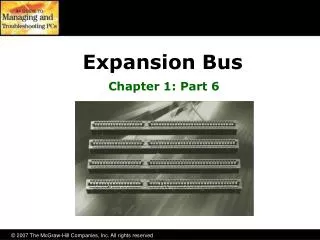
Expansion Bus Chapter 5
System crystals • Every device soldered into the motherboard is designed to run at the speed of the crystal • What happens when you try to add a device that did not come with your motherboard? • An extension to the external data needed to be made that ran at its own speed • Expansion bus crystal - a different crystal added that controlled the part of the external bus that was connected to the expansion slots
Expansion bus crystal • The frontside bus runs at the speed of the motherboard • The expansion slots run at another, much slower speed • The chipset acts as the divider between the two buses, compensating for the speed difference with wait states and special buffering areas
ISA expansion bus • On first PC’s, called “PC bus” • 8-bit • ran at 8.33 MHz maximum, per IBM • IBM shared the technology with everyone, allowed others to produce cards that fit • IBM patented the technology, but not the cards that use it
ISA expansion bus • A new 16-bit version appeared on the 286 because of its 16-bit external data bus • was downwardly compatible • called “AT bus” • still ran at 8.33 MHz, but was 16-bit
MCA • IBM developed for use with the PS/2 • 32 bit for use with 386’s and 486’s • All devices using it had an installation disk that you had to have • Options disk automatically configured the device properly
MCA • Had some major drawbacks: • were incompatible with ISA cards • MCA was licensed by IBM and they did not release it to the public which made it very expensive • it was not backwardly compatible • Only showed up in IBM computers and is basically a dead technology
Enhanced ISA (EISA) • Also 32-bit • An industry group of clone makers created it as a competitor to MCA • It beat MCA for 2 reasons: • It did everything MCA did, but much cheaper • backwardly compatible with ISA • It also died due to Microsoft Windows and its graphical demands
VESA “VL” BUS • Called the VESA Local Bus because it tapped into the local bus to run at a faster speed • Was 32-bit, so it died due to the release of the Pentium which ran at 64-bit
PCI • Peripheral Component Interconnect • designed by Intel • released to the public domain, so was quite successful • not tied to the CPU, so Apple machines can use it • Can send at 64-bit speed
PCI • Can transfer data between PCI devices while the CPU is doing other stuff • Doesn’t use IRQ’s; simply a plug and play technology • uses a powerful “burst mode” that makes data transfers very efficient • PCI is fairly standard now
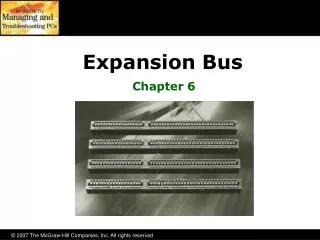
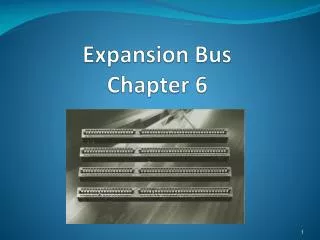
Advanced Graphics Port (AGP) • A single connector that looks like a PCI slot bit is slightly shorter and usually brown • Only video cards use AGP
PC cards • Once known as (PCMCIA) Personal Computer Memory Card International Association • Principally used in laptops • 3 types • Type I - 3.3 mm - memory • Type II - 5 mm - NICs and modem • Type III - 10.5 mm - hard drives
Plug and Play • Software technology, not bus technology • Need three things for it to occur: • PnP support in BIOS • PnP operating system (Windows 95) • PnP device (adapter card) • No one makes non-PnP devices anymore!
I/O Addresses • If everything in the computer connects to both the external data and address bus, how does the CPU know to talk to a particular device? • Extra wire on address bus called IO/MEM used to tell address bus that CPU is sending data to a device, and not to RAM • If this wire is charged, devices will get data
I/O Addresses • Which device is the CPU talking to? • Defined as the IO address in bus • All devices must have an IO address in order to “talk” to the CPU • Once a device has an IO address, another can not share it • IO addresses defined by IBM on page 275
I/O Addresses • Know these I/O Addresses for the exam: • COM1 - 3F8 • COM2 - 2F8 • COM3 - 3E8 • COM4 - 2E8 • LPT1 - 378 • LPT2 - 278
IRQ’s (interrupt requests) • IO addresses are good, but must be initiated by CPU, otherwise CPU doesn’t know which device is calling it • IRQ’s allow devices to get CPU’s attention • Every CPU has an INT wire; if charged it will stop what it is doing and listen • It will then run the BIOS routine to find out what to do with that device
IRQ’s • Virtually every device in a system requires its own unique and individual IRQ • one exception is the joystick • IBM came up with a map of IRQ’s and associated devices to prevent from sharing • Map on pages 282-283
IRQ’s • Map of IRQ’s: • 0 - system timer 8 - real-time clock • 1 - keyboard 9 - video card • 2 - (redirected to IRQ9) 10 - Open • 3 - Com 2, Com 4 11 - Open • 4 - Com 1, Com 3 12 - PS/2 Mouse • 5 - Sound or LPT2 13 - math coprocessor • 6 - Floppy 14 - hard disk • 7 - LPT1 (printer) 15 - Open
DMA (direct memory access) • Allows system to run background applications without interrupting the CPU • Diagrams on page 286-288 • another chip, the 8237, is the traffic cop by controlling all the DMA functions • the DMA chip sends data along the external data bus when the CPU is busy and not using the external data bus
DMA • Was designed to be used with ISA (8 bit), then EISA (16-bit) so it was rather slow • Bus mastering is now used • directly bypasses the 8237 chip • devices have circuitry that enables them to watch for other devices using the external data bus and can “get out of the way” on their own • DMA assignments on page 291