Computer Basics and Introduction to Microsoft Windows XP
This session covers fundamental computer concepts, including hardware components, data processing, and file management. It explores various input, output, and storage devices, and provides introductory information about Microsoft Windows XP. Participants will learn how to navigate the Windows XP environment, manage files and folders, and utilize essential features of the operating system, including the Start menu, taskbar, and Control Panel. This foundation is crucial for effective computer usage in both personal and professional contexts.

Computer Basics and Introduction to Microsoft Windows XP
E N D
Presentation Transcript
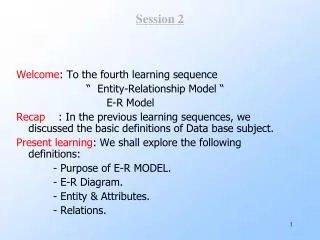
Session 2 Computers Bases and Microsoft Windows XP
Objectives • Knowledge of computer hardware • Computer processing • File and folder management • Customize the Windows
Part 1 Computer Basics
What is a computer? • An electronic device for the storage and processing of information.www.micro2000uk.co.uk/hardware_glossary.htm • Main parts of a computer: • Input devices • Process devices • Output devices • Storage devices
Input devices (1/3) • Key boards Ultra-flat + Media and Utility keys Wireless Flexible
Input devices (2/3) • Mouse Optical mouse Wireless mouse Ball mouse Fashion mouse Mouse pen Touchpad
Input devices (3/3) • Scanners
Process Devices (1/4) • Main boards (mother boards) Mother board Mother board with SATA-support
Process Devices (2/4) • CPU (Central Processing Unit) CPU Intel CPU AMD
Process Devices (3/4) • Memories DDRam DDRam II
Process Devices (4/4) • Graphic and sound card Graphic card Sound card
Output Devices (1/3) • Monitors CRT (Cathode Ray Tube) LCD (liquid crytal display)
Output Devices (2/3) • Speaker Speaker Head-phone
Output Devices (3/3) • Printers Ink-jet Printer Laser Printer Dot-matrix Printer
Storage Devices • Floppy disk & CD-ROM & USB Stick CD-ROM USB Stick Floppy disk
Computer basics (1/2) • Process data Input Process Output
Computer basics (2/2) • The smallest unit of storage is a bit (binary digit) • 1 byte = 8 bits • 1 KB (kilobyte) = 210 bytes = 1024 bytes • 1 MB (megabyte) = 210 KB = 1.048.576 bytes • 1 GB (gigabyte) = 210 MB > 1 million bytes • 1 TB (terabyte) = 210 GB > 1 trillion byte
Part 2 Introduce to Microsoft Windows XP
Introduction to windows XP • Operating System: Set of computer instructions that controls the allocation of computer hardware • Performs every function necessary for you to communicate with and use the computer • Includes several application software programs • Microsoft Internet Explorer • Windows Media Player • Windows Movie Maker … • Used to run application programs • Ex: word processing, chat …
Logging on to the computer • Log on by clicking your_user_icon on the Welcome screen and typing your_ password in the text box
First look at windows XP (1/2) • Desktop • Icons and arrange icon • Windows, applications • Start menu • Pinned programs list • Most frequently used programs list • Special folders • Run command, Search, Control panel … • Log off, Turn off button
First look at windows XP (2/2) • Taskbar • Running programs • Lock Taskbar, Taskbar Position • Taskbar Properties • Start Menu Properties • Show desktop, adjust date-time • Recycled Bin • Empty recycled bin • Restore files and folders
Windows (1/2) Title bar Minimize, Maximize and Close buttons Menu bar Tool bar Task pane Status bar
Windows (2/2) • Open and close windows. • Move, maximize, minimize and restore. • Full screen, free resize • Drag and drop icons, files, documents • Select multi files • My Computer • My Documents, My recent Documents • My Pictures, My Music
Files, folders and documents • Ways to work with files, folders and documents in Windows XP • Rename, copy, cut, paste and delete files, folders • Arrange files, folders • View properties; Hidden files, folders • Create shortcuts • Sharing
Finding files or folders • Start Search
Run command • Used to launch programs • Useful when you want to launch an application program quickly • Click the Start button on the taskbar and then point to Run • cmd • dxdiag • winword
Notepad • A popular application to create text documents • Launch, create, save text files with many format (extension) • Print a text file • Create and name a file on desktop, then enter content, data into it.
Vietnamese in Windows XP • The popular keyboard programs are: Unikeys and Vietkey • Popular input methods: TELEX and VNI. • VNI input method: • 1: sắc 2: huyền 3: hỏi • 4: ngã 5: nặng 6: mũ • 7: móc 9: đ • Telex input method • s: sắc f: huyền r: hỏi • x: ngã j: nặng aa, ee, oo: mũ • w: móc dd: đ
Open Working with user accounts (1/4) • Point to User Accounts
Click Working with user accounts (2/4) • Create a new account
Working with user accounts (3/4) • Type a name • Chose an account type • Create account or cancel
Working with user accounts (4/4) • Change an account • Change name, password, picture …
Desktop work environment • Right-click on desktop Properties • Change theme, background and resolution • Screen saver • Appearance • Screen refresh rate: 85 Hz
Control Panel (1/3) • Allows you to change the properties of an object and customize the Windows XP environment • You must have Administrative privileges if your computer is connected to a network
Control Panel (2/3) • Adjusting the keyboard • Repeat delay, repeat rate • Customizing the mouse • Right (Left)-handed button configuration • Switch primary and secondary buttons • Double-click speed • Mouse pointer • Changing the date, time, and time zone • Click the Date, Time, Language, and Regional Options
Control Panel (3/3) • Fonts • Adding new hardware • A device driver is a program used by the operating system to control the hardware • Add or Remove Programs • Install/ Uninstall programs • Adding a printer • Click the Start button, click Control Panel, and then click the Printers and Faxes
Summary • Knowledge of computer hardware • How to the computer process • File and folder management • Create, copy, move and delete • Drag and drop • Customize the Windows • Search files and folders
Q&A Please ask your questions
End Thanks for your attendances